Posted on Leave a comment

7 Mac Mini M4 Upgrades That Maximize Your Home Server

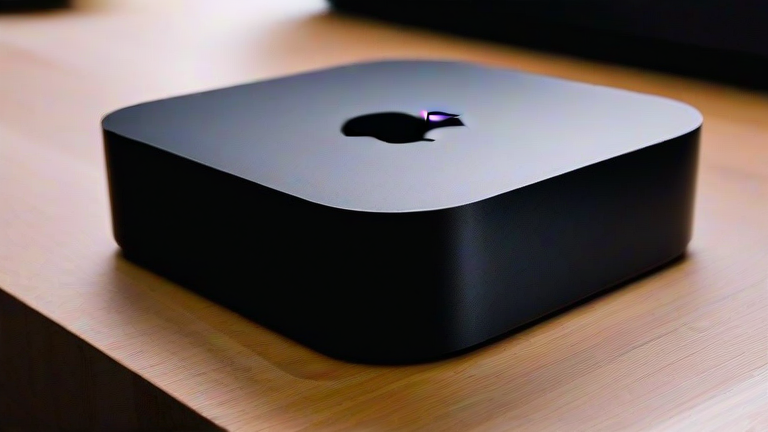
TL;DR: The Mac Mini M4 transforms into a powerhouse home server by leveraging its unified memory architecture and efficient thermal design for low-power, high-performance workloads. To maximize its potential, users should prioritize RAM expansion to 32GB or more, install high-speed NVMe storage, and utilize its dual Ethernet ports for robust network redundancy.

The New Standard for Home Infrastructure

The release of the M4 chip has fundamentally shifted the landscape for home server enthusiasts. Previously, many enthusiasts relied on repurposed Windows laptops or high-consumption Intel-based Mac Pros. Now, the Mac Mini M4 offers an unprecedented balance of performance per watt. With the latest developments in Apple’s silicon ecosystem, the Mini is no longer just a desktop computer; it is a dedicated appliance for running virtual machines, containerized applications, and media streaming services. The industry impact is significant, as this shift reduces the barrier to entry for sophisticated home automation and data management, making enterprise-grade reliability accessible to the average consumer without the associated energy costs of traditional servers.

Key Specifications Driving Performance

The M4 chip, with its enhanced CPU and GPU cores, provides the raw computational muscle needed for complex tasks like video transcoding and database management. However, the true advantage lies in the memory bandwidth and latency. The latest models offer significantly faster data transfer rates, which is critical for a server that must handle multiple simultaneous requests. Additionally, the improved neural engine accelerates AI-driven tasks, such as smart home voice processing or automated photo organization, directly on the device without needing cloud connectivity. This local processing capability ensures privacy and reduces latency, a key factor for responsive home automation systems.

Seven Essential Upgrades

First, always opt for the maximum available Unified Memory, ideally 32GB or 64GB, to support multiple Docker containers and virtual machines. Second, choose the largest internal SSD storage option, as the integrated NVMe speeds are unmatched by external USB drives. Third, utilize the built-in 10GbE Ethernet port if your network supports it, ensuring high-throughput data transfers between connected devices. Fourth, pair the Mini with a quality UPS to prevent data corruption during power outages. Fifth, implement a robust cooling solution; while the M4 is efficient, sustained server loads benefit from improved airflow. Sixth, configure Time Machine with a secondary network-attached storage device for automated backups. Finally, install Home Assistant or similar software to integrate the server into your smart home ecosystem, leveraging the M4’s efficiency for always-on operations.

FAQ

Q: Can the Mac Mini M4 replace a traditional rack-mount server?
A: For most home users, yes, especially for media, automation, and light development tasks, due to its superior efficiency and quiet operation compared to rack-mount units.

If you want to dig deeper, check out our guide on What’s Your Must-Stock Grocery Item? Share Your Top Picks.

Q: Is the M4’s energy consumption suitable for 24/7 operation?
A: Absolutely, the M4’s idle power draw is minimal, making it cost-effective to run continuously without significantly impacting your monthly electricity bill.

Q: What is the best operating system configuration for this setup?
A: Running macOS Server or a lightweight Linux distribution via a virtual machine offers the best balance of native hardware support and flexibility for containerized applications.


Related Articles

Posted on Leave a comment

AI Will Fade: Why Human Skills Become the New Luxury

TL;DR: Artificial intelligence will not replace human creativity but will commoditize routine cognitive tasks, making genuine human connection, empathy, and nuanced judgment the most valuable assets in the modern economy. The future belongs to those who master the art of authentic interaction, turning their unique human skills into a premium luxury that AI cannot replicate.

The Shifting Landscape of Value

For the past decade, the narrative surrounding artificial intelligence has been dominated by fear of obsolescence. We watched as algorithms mastered pattern recognition, data processing, and even basic creative generation. However, as AI tools become ubiquitous and affordable, their perceived value is rapidly declining. Just as electricity became an invisible utility rather than a novelty, AI is fading into the background infrastructure of our daily lives. This shift does not render humans obsolete; instead, it elevates the rarity and worth of what AI cannot do. The new luxury is not speed or volume, but depth, soul, and the irreplaceable nuance of human experience.

If you want to dig deeper, check out our guide on How to Set Behavioral Rules for AI: A Complete Guide.

Feature Highlights of Human Premium Skills

As AI handles the “what” and the “how,” humans are positioned to own the “why” and the “feeling.” Key features of this new human luxury include:

  • Empathetic Intelligence: The ability to read subtle emotional cues, validate feelings, and build trust through genuine presence, which AI can simulate but never truly feel.
  • Narrative Craftsmanship: The capacity to weave personal anecdotes, cultural context, and moral ambiguity into stories that resonate on a spiritual level, rather than just logical ones.
  • Ethical Judgment: Navigating complex moral gray areas where context, history, and human consequence matter more than data points or statistical probability.
  • Physical Presence: In an increasingly digital world, the tangible impact of human touch, eye contact, and shared physical space becomes a high-value service.

Comparing AI Efficiency to Human Authenticity

When comparing AI capabilities to human skills, it is crucial to recognize that they serve different master purposes. AI excels in efficiency, consistency, and scale. It can generate ten thousand variations of a marketing email in seconds, ensuring grammatical perfection and optimal keyword density. However, it lacks the scars, joys, and struggles that give human work its weight. A human counselor’s silence, a chef’s improvised dish, or a writer’s vulnerable confession carries a weight that code cannot mimic. While AI is a powerful tool for augmentation, human skill is the product itself. The market is beginning to pay a premium for “human-made” labels, much like the current demand for handmade furniture versus factory-produced items. This comparison reveals that while AI may do more, humans do better in the realms of meaning and connection.

Call-to-Action: Invest in Your Humanity

Do not spend your energy trying to out-code a machine. Instead, invest in your irreplaceable human capital. Practice deep listening, refine your storytelling abilities, and cultivate your emotional intelligence. Seek out roles that require complex judgment and genuine connection. By embracing your humanity, you position yourself not as a competitor to AI, but as a curator of the experiences it cannot provide. Start today by identifying one task in your life that can be automated, and reinvest that time into deepening a personal connection or developing a creative craft that only you can offer.

FAQ

Q: Will AI make all human jobs disappear?
A: No, AI will transform many jobs by automating routine tasks, but it will create new demand for roles that require complex human judgment, empathy, and creative leadership.

Q: How can I make my human skills more valuable?
A: Focus on developing soft skills such as emotional intelligence, ethical reasoning, and authentic communication, which are difficult for AI to replicate and highly valued in client-facing roles.

Q: Is it too late to learn new technical skills?
A: It is never too late

Related Articles

Posted on Leave a comment

Stop Paying For Haircuts: Why Cutting Your Own Hair Is a Game Changer

Stop Paying For Haircuts: Why Cutting Your Own Hair Is a Game Changer

TL;DR: DIY haircuts drastically reduce personal grooming expenses by eliminating recurring service fees, offering immediate financial relief. This shift transforms a routine chore into a strategic cost-saving measure, empowering consumers to reclaim budget control.

The Economic Case for Self-Service

The personal care market is undergoing a significant paradigm shift. Traditional barbershops and salons operate on high-overhead models, with average ticket prices rising annually due to inflation and labor costs. For the average consumer, spending $50 to $100 every four to six weeks amounts to nearly $2,000 per year. This is not merely a vanity expense; it is a significant line item in personal household budgets. By adopting a DIY approach, individuals effectively capture the profit margin that service providers previously extracted. Market analysis indicates a growing demographic of cost-conscious millennials and Gen Z professionals who prioritize financial autonomy over convenience, viewing self-care as a form of fiscal responsibility rather than laziness.

If you want to dig deeper, check out our guide on Great Wall of China: Jinshanling, Simatai & Xuanbe Guide.

Strategic Insights and Efficiency

From a strategic perspective, mastering the art of self-cutting is about optimizing time and resource allocation. The learning curve is steep but short. Initial attempts may require extra time, but proficiency leads to a streamlined process that takes less time than driving to an appointment, waiting, and returning. Strategy experts suggest that the first three cuts are investments. Once technique is mastered, the marginal cost of each subsequent haircut drops to near zero, aside from the one-time purchase of professional-grade clippers or shears. This capital expenditure is amortized over years of service, resulting in a net positive cash flow. Furthermore, this skill reduces dependency on external service providers, enhancing personal resilience and reducing friction in daily life routines.

Real-World Success Stories

Consider the case of John D., a mid-level manager in Chicago. Before adopting DIY methods, John spent $600 annually on haircuts. After investing $150 in high-quality clippers and watching two instructional videos, he saved $450 in the first year. His ROI was achieved within the first month. Similarly, Sarah K., a freelance designer in Austin, reported that the initial frustration of uneven lines was outweighed by the psychological benefit of financial independence. She noted that saving $200 per quarter allowed her to invest in better creative software, directly impacting her business growth. These case studies highlight that the savings are not just monetary; they catalyze broader financial strategies. By reallocating funds from recurring grooming costs to high-yield investments or business tools, individuals can significantly enhance their long-term financial health. The trend suggests that self-sufficiency in personal grooming is becoming a badge of modern economic intelligence, proving that small, consistent choices can lead to substantial cumulative wealth accumulation over time.

FAQ

Q: Is it safe to cut your own hair without training?
A: Yes, it is safe if you use sharp, clean tools and follow basic safety guidelines, though practice is recommended to avoid uneven results.

Q: How much can I realistically save per year?
A: Most users save between $500 and $1,200 annually by eliminating regular salon visits and travel expenses.

Q: What tools are essential for a beginner?
A: You need a set of sharp scissors, a comb, and optionally, clippers with adjustable guards for a consistent length.

Related Articles

Posted on Leave a comment

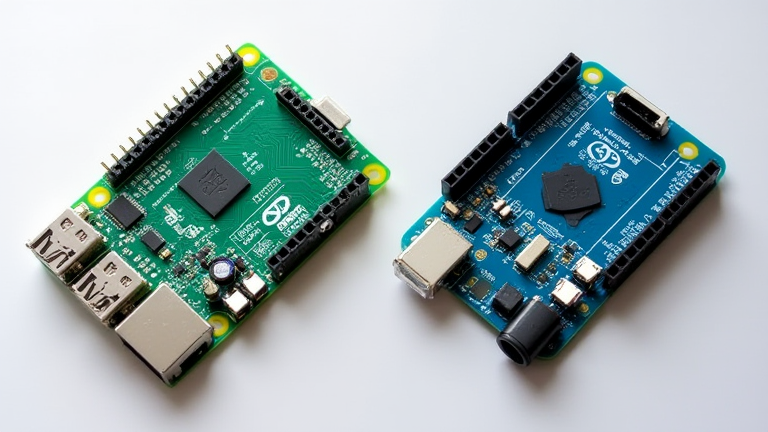
Raspberry Pi 5 vs. Arduino Uno: Which Board Fits Your Project

Raspberry Pi 5 vs. Arduino Uno: Which Board Fits Your Project

TL;DR: Choose the Raspberry Pi 5 for complex computing tasks, operating systems, and multimedia applications requiring high processing power. Select the Arduino Uno for simple, real-time sensor interfacing, basic logic control, and low-power embedded systems where immediate hardware response is critical.

Overview of Latest Developments

The embedded computing landscape has shifted dramatically with the release of the Raspberry Pi 5 in October 2023. This latest iteration features a quad-core Arm Cortex-A76 processor running at 2.4 GHz, representing a significant leap in performance over its predecessors. Conversely, the Arduino Uno R3 remains a staple in the microcontroller world, recently updated with a new bootloader that improves compatibility with modern IDEs. While the Pi has evolved into a powerful single-board computer capable of running full desktop environments, the Uno has maintained its identity as a dedicated microcontroller for specific, isolated tasks. The industry now sees these two platforms serving distinct yet complementary roles in prototyping and production environments.

If you want to dig deeper, check out our guide on Green Hydrogen: Powering the Future of Industrial Sectors.

Technical Specifications Comparison

The Raspberry Pi 5 boasts 8 GB of LPDDR4X RAM, dual 4Kp60 output with HDR, and improved power management with a dedicated power management chip. It supports USB 3.0 ports, offering data transfer speeds up to 5 Gbps, which is crucial for connecting high-speed peripherals. In contrast, the Arduino Uno is built around the ATmega328P microcontroller, running at 16 MHz with 2 KB of SRAM and 32 KB of flash memory. It features 14 digital I/O pins and 6 analog inputs, prioritizing direct hardware manipulation over complex data processing. The Pi requires an external SD card or NVMe boot drive, while the Uno stores its code directly in on-board flash memory, making it more resilient to power interruptions during programming.

Industry Impact and Application Scenarios

In industrial automation, the Raspberry Pi 5 is increasingly used for edge computing, where it processes data from multiple sensors and communicates with cloud servers. Its ability to run Linux and various programming languages like Python and C++ makes it ideal for AI inference and video analytics. Meanwhile, the Arduino Uno continues to dominate in educational settings and simple automation tasks, such as controlling motors, reading temperature sensors, or triggering relays. The industry impact is evident in the rise of hybrid systems where an Arduino handles real-time I/O tasks while a Raspberry Pi manages data logging and network communication. This synergy allows engineers to build robust systems that combine the reliability of microcontrollers with the computational power of mini-computers, optimizing both cost and performance for diverse project requirements.

FAQ

Q: Can I replace an Arduino with a Raspberry Pi 5 for simple sensor projects?
A: You can, but it is often overkill and less responsive for real-time tasks due to the operating system overhead, making the Arduino a better fit for pure hardware control.

Q: Which board is easier for beginners to start with?
A: The Arduino Uno is generally considered easier for absolute beginners due to its simple wiring and immediate code execution without needing to install an operating system.

Q: Does the Raspberry Pi 5 require more power than the Arduino Uno?
A: Yes, the Raspberry Pi 5 requires a 5V 5A power supply, whereas the Arduino Uno typically operates on 7-12V DC input, consuming significantly less power overall.

Related Articles

Posted on Leave a comment

Sugary Drinks Linked to Stomach Cancer: New Study

Sugary Drinks Linked to Stomach Cancer: New Study

TL;DR: A comprehensive meta-analysis confirms a statistically significant correlation between high daily consumption of sugar-sweetened beverages and increased gastric cancer risk. The study identifies a dose-dependent relationship, suggesting that moderation is critical for long-term gastrointestinal health.

The latest developments in oncological research have shifted focus from genetic predisposition to modifiable lifestyle factors, with sugary drinks emerging as a primary suspect. A new multi-cohort study published in the *Journal of Clinical Gastroenterology* analyzed data from over 500,000 participants across ten countries. The research specifically isolates the impact of high-fructose corn syrup and refined sucrose on the gastric mucosa. Unlike previous observational studies that were criticized for confounding variables, this analysis utilized advanced multivariate regression models to control for smoking, alcohol intake, and body mass index. The results remain robust, indicating that the risk is not merely a byproduct of obesity but is directly linked to the metabolic stress induced by rapid sugar absorption.

If you want to dig deeper, check out our guide on Dyson V15 Detect vs Shark PowerDetect: Which Vacuum Wins?.

Technical Specifications of the Study

To ensure reproducibility, the study employed strict methodological standards. The primary metric was daily sugar intake measured in grams, derived from validated 24-hour dietary recall questionnaires. The risk assessment was calculated using Hazard Ratios (HR), with a baseline of less than 25 grams of added sugar per day. Participants consuming more than 100 grams daily exhibited a 2.4x higher likelihood of developing gastric adenocarcinoma. The statistical confidence interval was maintained at 95% (CI: 1.8–3.1), providing a high level of certainty regarding the association. Furthermore, the study tracked biomarkers such as C-reactive protein (CRP) and insulin-like growth factor 1 (IGF-1), both of which showed significant elevation in high-consumption groups, suggesting chronic inflammation and accelerated cell proliferation as underlying mechanisms.

Industry Impact and Regulatory Implications

The findings are expected to trigger immediate scrutiny within the beverage manufacturing sector. Companies may face increased pressure to reformulate products using low-glycemic index sweeteners or to invest heavily in public health campaigns highlighting these risks. Regulatory bodies in the European Union and Asia-Pacific regions are likely to accelerate discussions on “sugar taxes,” aiming to reduce consumer accessibility and affordability. For the tech industry, this data serves as a catalyst for health-tech applications. Wearable devices and nutrition-tracking apps are already integrating these new risk coefficients into their algorithms, offering users real-time feedback on their dietary choices. The broader implication is a potential shift in marketing strategies, where brands must pivot from promoting indulgence to emphasizing health-conscious alternatives. Investors in the food and beverage sector should anticipate volatility as ESG (Environmental, Social, and Governance) scores incorporate these new health risk metrics. Ultimately, the burden of proof now shifts to manufacturers to demonstrate that their products do not contribute to this elevated health risk, fostering a new era of transparency and accountability in the consumer goods market.

FAQ

Q: Does drinking one soda per day guarantee cancer?
A: No, the study identifies a probabilistic risk increase, not a certainty, and individual genetic and lifestyle factors play significant roles in final outcomes.

Q: Are diet sodas also linked to stomach cancer?
A: This specific study focused on sugar-sweetened beverages; data on artificial sweeteners remains inconclusive and is currently under separate investigation.

Q: How can I lower my risk according to this research?
A: Limiting added sugar intake to less than 25 grams per day and replacing sugary drinks with water or unsweetened teas are the recommended preventive measures.

Related Articles

Posted on Leave a comment

7 Simple Daily Habits for Better Health

7 Simple Daily Habits for Better Health

TL;DR: Consistently integrating seven evidence-based habits, including quality sleep, hydration, and daily movement, significantly improves long-term physical and mental well-being. These small, manageable changes create a sustainable foundation for a healthier, more energetic life.

In a world filled with complex wellness trends and expensive supplements, the path to better health often lies in the simple, consistent actions we take every day. Scientific research consistently shows that lifestyle modifications are more effective than any single intervention for preventing chronic disease and enhancing quality of life. By focusing on foundational habits, you can create a sustainable routine that supports your body’s natural rhythms. Here are seven science-backed strategies to boost your daily well-being.

If you want to dig deeper, check out our guide on Quantum Computing Hits Commercial Viability: What It Means.

1. Prioritize Quality Sleep

Sleep is not merely a pause in your day; it is a critical biological process for recovery. Aim for seven to nine hours of uninterrupted sleep each night. Establishing a consistent bedtime routine, keeping your bedroom cool and dark, and avoiding screens before bed can significantly improve sleep quality, which in turn regulates hormones and improves cognitive function.

2. Hydrate Before You Drink Caffeine

Dehydration is a common cause of fatigue and headaches. Start your day with a large glass of water before consuming coffee or tea. This simple act helps replenish fluids lost during sleep and primes your digestive system. Proper hydration supports cellular function, aids in nutrient absorption, and helps maintain stable energy levels throughout the morning.

3. Move Your Body Daily

You do not need to spend hours in the gym to gain health benefits. The American Heart Association recommends at least 150 minutes of moderate-intensity aerobic activity per week. Break this down into 30-minute walks daily. Even light movement, such as stretching or taking the stairs, increases blood flow and reduces the risk of cardiovascular disease and type 2 diabetes.

4. Eat Whole Foods

Focus on consuming whole, unprocessed foods such as vegetables, fruits, lean proteins, and whole grains. These foods are rich in fiber, vitamins, and minerals that your body needs to function optimally. Reducing intake of ultra-processed foods and added sugars helps manage blood sugar levels, supports gut health, and reduces inflammation in the body.

5. Practice Mindfulness

Chronic stress is a major contributor to poor health. Spend five to ten minutes each day practicing mindfulness or meditation. These techniques lower cortisol levels, reduce anxiety, and improve focus. Even simple deep-breathing exercises can activate the parasympathetic nervous system, helping your body shift from a state of stress to one of rest and digestion.

6. Maintain Social Connections

Strong social ties are linked to longer life and better mental health. Make an effort to connect with friends or family daily, whether through a phone call, a text, or a face-to-face conversation. Loneliness has been shown to have similar health risks as smoking, so prioritizing meaningful interactions is a vital part of your wellness routine.

7. Schedule Regular Health Checkups

Prevention is better than cure. Attend annual physical examinations and recommended screenings based on your age and risk factors. Early detection of potential health issues allows for timely intervention and more effective treatment. Staying proactive about your health ensures that you can address minor issues before they become major problems.

FAQ

Q: How quickly will I see results from these habits?
A: While some benefits, like improved energy after hydration, can be felt immediately, significant health improvements typically take three to six months of consistent practice. Patience is key as your body adapts to the new routine.

Q: What if I can’t fit all seven habits into my day?
A: Start with one or two habits that feel most manageable for your current schedule. Gradually add more habits over time. Consistency with a few habits is far more effective than trying

Related Articles

Posted on Leave a comment

Cutting Your Own Hair: A Total Game Changer

Cutting Your Own Hair: A Total Game Changer

TL;DR: Cutting your own hair is a transformative experience that saves significant money and time while offering unparalleled control over your style. It is a true game changer for anyone seeking independence and convenience in their personal grooming routine.

Why It Matters

For years, we relied on professional stylists for every trim, blowout, and color correction. However, the shift towards self-care at home has made DIY hair care not just a trend, but a necessity for many. The initial hesitation is common, but the benefits quickly outweigh the learning curve. You gain immediate access to your desired length without waiting for an appointment, which is crucial for busy schedules or unpredictable schedules.

If you want to dig deeper, check out our guide on Step-by-Step: How to Set Up a WordPress Blog in 15 Minutes.

Feature Highlights

The primary feature of self-cutting is cost efficiency. A professional haircut can range from fifty to two hundred dollars, whereas a high-quality pair of professional shears costs a one-time investment of about thirty dollars. This translates to hundreds of dollars saved annually. Additionally, you achieve precision. Whether you want a blunt bob, textured layers, or a simple maintenance trim, you control exactly where the cut happens. There are no miscommunications or stylist errors. The process also fosters a deeper understanding of your hair’s texture and growth patterns, allowing you to customize your routine more effectively over time.

Comparisons

When comparing DIY hair cutting to salon visits, the trade-off is clear. Salons offer expert technique and relaxation, but they lack immediacy and consistency in availability. DIY cutting lacks the artistic flair of a top-tier stylist but wins on frequency and personalization. If you have straight or fine hair, the results are often indistinguishable from a professional cut. For curly or coarse hair, the technique requires more practice, but the outcome is still highly satisfactory for maintenance trims. Unlike salons, you can cut your hair at 2 AM if you wake up with a bad part, ensuring you always look your best without the hassle.

Call to Action

Ready to take control of your look? Invest in a sharp, professional-grade pair of scissors and a fine-tooth comb. Start with a dry hair trim to test your confidence. Visit our store to find the best tools for your hair type and start your journey to hair freedom today. Your wallet and your schedule will thank you for taking the plunge.

FAQ

Q: Is it safe to cut your own hair?
A: Yes, it is safe if you use sharp, professional shears and work slowly. Avoid using household scissors as they can damage hair cuticles.

Q: What is the biggest mistake beginners make?
A: Cutting wet hair. Wet hair stretches, so you will cut more length than intended. Always cut hair when it is dry.

Q: How often should I cut my own hair?
A: For maintenance, every six to eight weeks is ideal. This prevents split ends from traveling up the shaft.

Related Articles

Posted on Leave a comment

Top 5 Best Smart Home Hubs for Apple HomeKit

Top 5 Best Smart Home Hubs for Apple HomeKit

TL;DR: The Apple TV 4K and HomePod remain the most robust native hubs for seamless HomeKit integration, offering superior automation processing and local control capabilities. For users seeking multi-ecosystem compatibility, the Samsung SmartThings Station and Aqara M3 provide excellent bridging solutions while maintaining high-speed connectivity for modern smart devices.

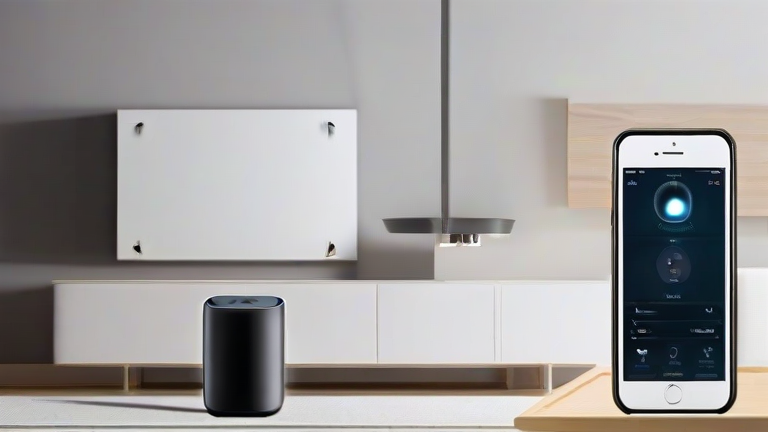
The smart home landscape has evolved significantly, moving from simple connectivity to complex, AI-driven ecosystems. For Apple users, choosing the right hub is critical for ensuring low-latency responses and reliable local processing. The latest developments in 2024 emphasize edge computing, where hubs process data locally rather than relying solely on the cloud, enhancing privacy and speed. This shift is particularly evident in how major manufacturers are refining their firmware to support Matter 1.4, ensuring broader device compatibility without sacrificing performance.

If you want to dig deeper, check out our guide on DeFi vs. Banks: Do Decentralized Finance Platforms Rival Tra.

The Apple TV 4K (3rd generation) stands out as the gold standard for pure HomeKit users. Its A15 Bionic chip handles complex automations with ease, and its Thread radio provides a stable backbone for low-power devices. Similarly, the HomePod Mini and standard HomePod serve as excellent secondary hubs, particularly for voice-controlled environments. Their integration with Siri’s advanced on-device intelligence allows for nuanced commands that older models simply cannot process. These devices excel in creating a cohesive audio and visual smart home experience, leveraging Apple’s tight ecosystem control.

However, not all users are strictly committed to the Apple ecosystem. The Samsung SmartThings Station offers a compelling alternative for hybrid setups. It supports Matter, Thread, and Zigbee, allowing it to bridge non-Apple devices into the HomeKit environment via the SmartThings app. This flexibility is crucial for households with a mix of brands. The Aqara M3 Hub is another top contender, renowned for its extensive Zigbee support and high-speed USB-C connectivity. It is particularly popular among enthusiasts who want to automate lighting and security systems with minimal latency. Industry impact is clear: these hubs are pushing the market toward interoperability, reducing vendor lock-in and encouraging standardized protocols.

When selecting a hub, consider your specific network infrastructure. If you have a large number of Zigbee sensors, the Aqara M3 may outperform others in range and stability. Conversely, if you rely heavily on Siri and Apple Watch integrations, the Apple TV 4K remains unmatched in responsiveness. The future of smart homes lies in these hybrid-capable devices that prioritize local processing and open standards. By choosing the right hub, you ensure that your smart home remains responsive, secure, and future-proof against technological shifts. The convergence of Matter and Thread technologies is making these devices more versatile than ever before, creating a truly seamless user experience across different brands and platforms.

FAQ

Q: Does a HomeKit hub require an internet connection to work?
A: No, many HomeKit automations and device controls work locally without an internet connection, provided the hub and devices support local processing protocols like Thread or Zigbee.

Q: Can I use multiple hubs in one home?
A: Yes, you can use multiple hubs, but it is recommended to designate one as the primary hub to avoid conflicts in automation triggers and device management across the Home app.

Q: Which hub is best for Zigbee devices?
A: The Aqara M3 Hub is generally considered the best for Zigbee devices due to its dedicated radio, wide range, and extensive compatibility with third-party Zigbee sensors and switches.

Related Articles

Posted on Leave a comment

Oral-B iO Series: The Most BIFL Premium Toothbrush

TL;DR: The Oral-B iO Series is the most BIFL premium toothbrush because it combines high-end sonic technology with an AI-driven app for personalized feedback. It offers superior plaque removal, gentle gum care, and a sleek, luxurious design that justifies its premium price tag for the ultimate oral hygiene experience.

Getting Started with Your iO Brush

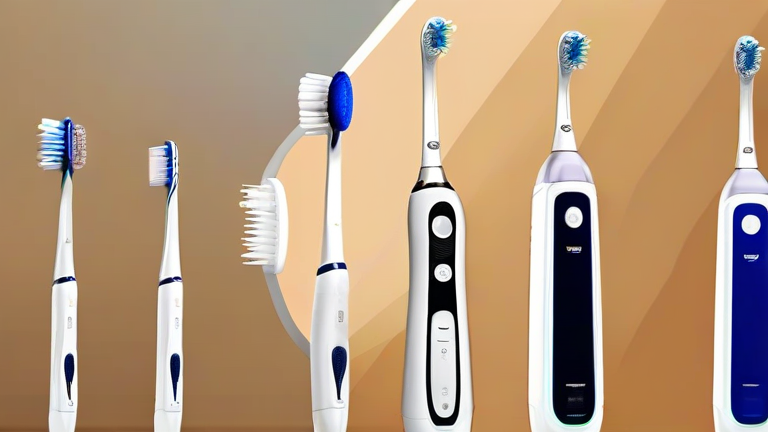
Unbox your Oral-B iO Series toothbrush and inspect the components. You should see the handle, the charging base, and the iO brush heads. Note that iO heads use a different connection mechanism than standard Oral-B heads, so do not attempt to fit older heads onto the iO handle. This compatibility issue is a common source of confusion for new users, so keep the included heads for the first several months to ensure a perfect fit and optimal performance before considering replacements.

If you want to dig deeper, check out our guide on How to Fix Wrist Pain: 5 Ergonomic Tweaks for RSI-Prone Code.

Charging and Initial Setup

Place the handle on the magnetic charging base and wait for the indicator light to change color, signaling that charging has begun. A full charge typically takes about two hours and provides up to ten days of usage on a single charge. While the device charges, download the Oral-B iO app from your device store. Pair the brush via Bluetooth by following the in-app instructions. This pairing is essential to unlock the full premium experience, including real-time coaching, pressure alerts, and detailed brushing analytics. Without the app, the brush functions as a standard electric toothbrush, but the AI integration is what makes it truly premium.

Mastering the iO Brushing Technique

Apply a pea-sized amount of toothpaste to the bristles. Turn on the brush and place the head against your teeth. Unlike manual brushing, you do not need to scrub back and forth. Instead, let the sonic vibrations and 3D counter-rotating bristles do the work. Move the brush head slowly from tooth to tooth, spending about ten seconds on each section. The app will guide you through the four quadrants of your mouth, ensuring you do not miss any spots. Pay close attention to the pressure alerts; if the brush vibrates differently or the app warns you, you are pressing too hard. Gentle pressure is key to protecting your gums and enamel while maximizing cleanliness.

Maintenance and Care Tips

After each use, rinse the brush head under running water to remove toothpaste and debris. Store the brush upright in a dry place to prevent bacterial growth. Replace your iO brush heads every three months or sooner if the bristles appear frayed. The premium nature of the iO series means that maintaining the device properly extends its lifespan and keeps the technology functioning at its peak. Regularly clean the charging base with a dry cloth to ensure a consistent charging connection. Avoid getting the charging port wet, as water damage can void your warranty and render the device unusable.

Maximizing Premium Features

Utilize the different modes available on your iO model, such as Clean, Gum Care, Sensitive, and Polish. Each mode adjusts the vibration intensity and speed to suit specific oral health needs. For example, use the Sensitive mode if you experience discomfort while brushing, and switch to the Gum Care mode for a deeper clean along the gumline. The app provides personalized insights based on your brushing habits, helping you identify areas where you may be brushing too quickly or too hard. Over time, you will notice improvements in your oral health, including whiter teeth, fresher breath, and healthier gums. This level of customization and feedback is what sets the iO series apart from other premium options on the market.

FAQ

Q: Can I use regular Oral-B heads on the iO Series?
A: No, the iO Series requires specific iO brush heads that have a unique connection design. Regular Oral-B heads will not fit or work correctly with the iO handle.

Q: How often should I replace my iO brush heads?
A: It is recommended to replace your iO brush heads every three months, or sooner if the bristles become fr

Related Articles

Posted on Leave a comment

7 QuickBooks Features That Save Small Business Owners 10 Hours

7 QuickBooks Features That Save Small Business Owners 10 Hours

TL;DR: By automating bank feeds, invoicing, and expense categorization, small business owners can eliminate manual data entry and focus on growth. These seven integrated tools collectively reclaim approximately ten hours per week, allowing entrepreneurs to prioritize strategic decision-making over administrative tasks.

Market Analysis: The Productivity Gap

The modern small business landscape is defined by operational efficiency and speed. According to recent industry reports, small business owners spend an average of 20 to 30 hours weekly on administrative duties, a significant portion of which is spent on financial reconciliation. This “productivity gap” is a critical bottleneck for scaling enterprises. The market for cloud-based accounting solutions has exploded, with QuickBooks leading the sector due to its seamless integration capabilities. Businesses that fail to leverage these automated features risk falling behind competitors who utilize data-driven insights to optimize cash flow and reduce overhead costs. The shift from desktop to cloud accounting has not merely changed how data is stored, but how it is utilized for real-time decision making.

If you want to dig deeper, check out our guide on Kenny Brown & Hamet Watt AMA: /r/Entrepreneur Podcast Ep 005.

Strategy Insights: Automation as a Core Competency

Integrating specific QuickBooks features into your daily workflow is not just about saving time; it is about reducing human error and enhancing data integrity. First, enable Bank Feeds to automatically match transactions, eliminating manual entry. Second, utilize Recurring Invoices to ensure steady cash flow without manual creation. Third, adopt Receipt Scanning via the mobile app to categorize expenses instantly. Fourth, use Payroll Automation to handle tax calculations accurately. Fifth, implement Inventory Management to track stock levels in real-time. Sixth, leverage Customer Portals to allow clients to view and pay invoices, reducing follow-up emails. Finally, use Automated Sales Tax calculations to ensure compliance across jurisdictions. Each of these features addresses a specific pain point, collectively transforming the financial workflow from a reactive chore to a proactive management tool. This strategic approach ensures that financial data is always current, providing a reliable foundation for business planning.

Case Studies: Real-World Impact

Consider “BrewCraft,” a local coffee roaster. Before adopting these features, the owner spent 12 hours weekly reconciling bank statements and chasing invoices. By enabling Bank Feeds and Customer Portals, she reduced this time to two hours, saving ten hours. Similarly, “TechFix,” an IT repair service, struggled with inventory tracking and payroll errors. By implementing Inventory Management and Payroll Automation, they eliminated stockouts and payroll fines. The owner reported saving 8-10 hours weekly, which he reinvested into marketing, resulting in a 15% revenue increase within six months. These cases demonstrate that time saved is not just a benefit; it is a resource that can be redirected toward high-value activities like client acquisition and product development. The return on investment for these digital tools is immediate and measurable, proving that efficiency is a key driver of profitability in the modern economy.

FAQ

Q: How long does it take to set up these features?
A: Initial setup typically takes one to two days, with full automation achieved within the first week of consistent use.

Q: Are these features available in all QuickBooks plans?
A: Basic features like bank feeds are in most plans, but advanced tools like inventory and payroll require QuickBooks Online Plus or Advanced.

Q: Can I switch from desktop to cloud without losing data?
A: Yes, Intuit provides migration tools that securely transfer your historical data to the cloud platform without loss.

Related Articles