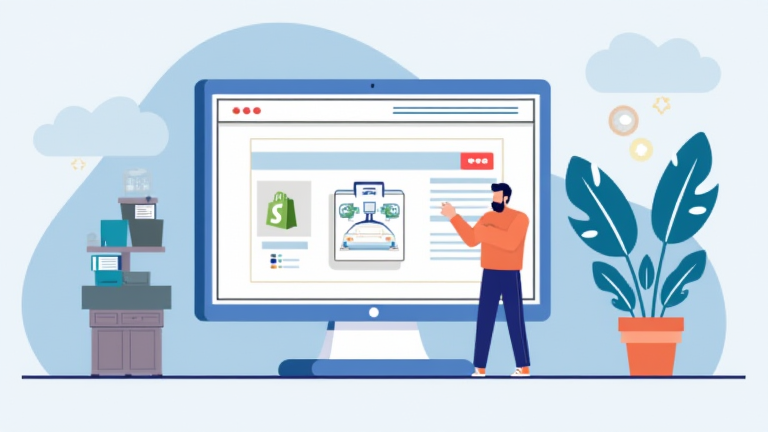
TL;DR: To set up Shopify dropshipping, you must create a Shopify store, install a dropshipping app like DSers or Spocket, and import products to your catalog. Then, configure your payment and shipping settings to ensure seamless order fulfillment and customer communication.
How to Set Up Shopify Dropshipping: Step-by-Step Guide
Dropping physical goods without holding inventory is a low-risk entry into e-commerce, but success requires careful setup and strategic execution. This guide walks you through the essential technical and operational steps to launch your store effectively. By following these instructions, you will build a functional storefront that connects directly with suppliers, allowing you to focus on marketing and customer service rather than logistics.
If you want to dig deeper, check out our guide on Best Ergonomic Office Chairs for Back Pain Relief.
Step 1: Choose Your Niche and Validate Ideas
Before touching any software, you must identify a profitable niche. Avoid overly saturated markets like generic phone cases unless you have a unique angle. Use tools like Google Trends, TikTok, and Facebook Ad Library to spot rising trends. Validate your idea by checking if competitors are running active ads, which indicates market demand. Your niche should solve a specific problem or appeal to a passionate community, ensuring higher conversion rates later on.
Step 2: Set Up Your Shopify Store
Sign up for a Shopify trial and choose a clean, professional theme. Minimalist designs often convert better because they keep the focus on your products. Customize your logo, colors, and navigation menu to reflect your brand identity. Ensure your homepage clearly states what you sell and includes high-quality hero images. Create essential pages such as About Us, Contact, and Shipping Policies to build trust with potential customers. A professional appearance reduces bounce rates and increases the likelihood of sales.
Step 3: Connect a Dropshipping App
Install a reliable dropshipping app from the Shopify App Store. DSers is highly recommended for AliExpress suppliers due to its bulk ordering features, while Spocket offers faster shipping from US and EU warehouses. Link your supplier account to the app and synchronize your inventory. This ensures that stock levels and prices update automatically, preventing you from selling out-of-stock items. Configure the app to automatically forward orders to suppliers when a customer purchases a product.
Step 4: Import and Optimize Products
Do not simply copy supplier descriptions. Rewrite product titles and descriptions to be compelling and SEO-friendly. Include keywords that your target audience might search for. Edit images to remove watermarks or unrelated text, and ensure they are high-resolution. Set your retail prices by applying a healthy margin, typically 2-3 times the supplier cost. This margin covers ad spend, transaction fees, and profit. Regularly audit your product list to remove underperforming items and add new trending products.
Step 5: Configure Payments and Shipping
Set up Shopify Payments or a third-party gateway like PayPal to accept payments securely. Clearly display trusted payment badges on your checkout page to reduce cart abandonment. Define your shipping policies based on your supplier’s delivery times. Be transparent about shipping durations to manage customer expectations. Offer free shipping by baking the cost into your product price, which is a proven conversion tactic. Test the entire checkout process yourself to identify any technical glitches before going live.
Step 6: Launch and Market Your Store
Once your store is ready, launch it and begin driving traffic. Start with organic social media content on TikTok and Instagram to build an audience without immediate ad spend. As you gain traction, invest in paid advertising on Facebook and Instagram. Target your ads based on the interests and behaviors of your ideal customer. Monitor your key metrics, such as click-through rates and return on ad spend, to optimize your campaigns continuously. Excellent customer service is crucial for handling inquiries and returns, fostering long-term brand loyalty.
FAQ
Q: How much money do I need to start dropshipping?
A: You can start with as little as $50 to $100 for a Shopify subscription and domain, but you need additional budget for marketing, ideally $50