Posted on Leave a comment

10 KPIs Every Small Business Owner Should Track in QuickBooks

TL;DR: Small business owners must track ten critical KPIs in QuickBooks, including Gross Margin, Net Profit Margin, and Accounts Receivable Aging, to drive financial health. Implementing these metrics provides actionable data that transforms raw accounting figures into strategic decision-making tools for sustainable growth.

The Strategic Value of Data-Driven Management

In the current competitive landscape, small businesses are no longer competing solely on product quality or customer service; they are competing on operational efficiency and financial acumen. According to recent market analysis, nearly 80% of small businesses that fail in their first five years do so due to cash flow issues rather than a lack of demand. This statistic underscores the critical need for real-time financial visibility. QuickBooks, as the leading accounting software for small enterprises, serves as the central nervous system for this data. However, simply recording transactions is insufficient. To leverage the platform’s full potential, business owners must actively monitor specific Key Performance Indicators (KPIs) that highlight operational strengths and weaknesses.

If you want to dig deeper, check out our guide on Sugary Drinks Linked to Stomach Cancer: New Study.

Top 10 KPIs for Operational Excellence

1. Gross Margin: This measures profitability after deducting the cost of goods sold. A declining trend often signals supply chain inefficiencies or pricing errors. 2. Net Profit Margin: This indicates how much of every dollar earned translates into profit. It is the ultimate measure of overall business health. 3. Accounts Receivable Aging: Tracking how long customers take to pay helps predict cash flow gaps and informs credit policy adjustments. 4. Accounts Payable Aging: Understanding when bills are due allows for strategic negotiation of payment terms and prevents late fees. 5. Inventory Turnover: For retail and manufacturing businesses, this metric reveals how efficiently stock is sold and replaced. Low turnover indicates overstocking, tying up capital. 6. Current Ratio: This compares current assets to current liabilities, providing a snapshot of short-term liquidity. A ratio below 1.0 is a red flag for insolvency. 7. Customer Acquisition Cost (CAC): By linking CRM data with QuickBooks, owners can determine the exact cost to secure a new client, ensuring marketing spend is profitable. 8. Customer Lifetime Value (CLV): Comparing CLV against CAC helps determine if the business is investing in sustainable relationships or burning cash on one-off transactions. 9. Burn Rate: Essential for startups and scaling companies, this tracks how much cash is being consumed per month before reaching profitability. 10. Cash Flow Forecast: While not a static number, the projected cash position over the next 90 days is vital for planning investments and managing debt.

Case Study: Transforming Chaos into Clarity

Consider “Apex Custom Furniture,” a mid-sized workshop struggling with inconsistent profits. Despite high sales, the owner felt constantly broke. By implementing strict KPI tracking in QuickBooks, they discovered their Gross Margin was eroded by inefficient material waste, and their Accounts Receivable aging showed a 45-day average payment cycle. The strategy was twofold: renegotiate material contracts to lower COGS and implement stricter credit terms for slow-paying clients. Within six months, the Gross Margin improved by 12%, and the cash flow forecast stabilized, allowing the company to hire two new craftsmen without taking on high-interest debt. This case illustrates that KPIs are not just numbers; they are diagnostic tools that reveal actionable insights.

Strategic Implementation

Tracking these KPIs requires discipline. Owners should schedule a weekly review of Cash Flow and a monthly deep dive into Profit Margins and Aging Reports. Automation features in QuickBooks can generate these reports, but human interpretation is key. Do not let the data sit in a spreadsheet; use it to pivot strategy. If inventory turnover is low, run a promotion. If CAC is rising, refine marketing channels. The goal is to move from reactive accounting to proactive management.

FAQ

Q: How often should I review these KPIs?
A: Daily for cash flow, weekly for receivables and payables, and monthly for margins and inventory. Consistency is more important than frequency for long-term


Related Articles

Posted on Leave a comment

Why Every Home Needs a Robot Vacuum: 7 Top Picks

TL;DR: Robot vacuums save you hours every week by automating floor cleaning, and they reach under furniture better than manual vacuums. The best picks below combine smart navigation, strong suction, and self-emptying docks—so you can set them and forget them.

Why Every Home Needs a Robot Vacuum

Let’s face it: no one wakes up excited to push a heavy upright across dusty baseboards. A robot vacuum doesn’t just clean—it cleans on your schedule, whether you’re at work, asleep, or chasing toddlers. Modern models map your home room-by-room, avoid cords and pet messes, and return to their docks to recharge. The result? Consistently cleaner floors with zero physical effort. For pet owners, allergy sufferers, or busy families, this isn’t a luxury—it’s a sanity saver.

If you want to dig deeper, check out our guide on Summer Sheets: Do Fabric or Weave Matter Most for Cooling?.

7 Top Picks Compared

1. Roborock S8 Pro Ultra — The all-rounder. It combines 6000Pa suction, a vibrating mop, and a self-emptying dock that also washes and dries the mop. Best for large homes with mixed flooring. Downside: premium price (~$1,400).

2. iRobot Roomba j7+ — The smartest navigator. Uses a front camera to avoid pet waste and cables (it literally learns what to avoid). Self-emptying base holds up to 60 days of debris. Great for pet owners, but no mopping function.

3. Dreame L10s Ultra — The value flagship. Offers similar features to the Roborock (self-empty, mop washing, 5500Pa suction) at ~$900. Slightly louder, but the app is intuitive. Ideal for tech-savvy budget shoppers.

4. Eufy RoboVac X10 Pro Omni — The quiet achiever. At just 55dB, it’s barely audible. Has both vacuum and mop, plus a 45-day self-empty bag. Best for apartments or homes with light flooring and noise-sensitive occupants.

5. Shark AI Ultra Voice Control — The voice-first option. Works with Alexa and Google, and you can say “clean under the kitchen table” to trigger zone cleaning. Strong 45-day capacity, but the app’s mapping is slower than rivals. Good for smart-home enthusiasts.

6. Yeedi Mop Station Pro — The mop specialist. This one focuses on scrubbing—it uses a rotating mop pad that applies 8N of downward pressure, removing dried stains. Vacuum is adequate (3000Pa). Perfect for hard-floor households with kids.

7. Roomba Combo j9+ — The hybrid that finally gets it right. Unlike older combo models, this one retracts the mop pad when it detects carpet, so it won’t dampen rugs. Self-empty and self-wash, but the dock is bulky. Best for mixed carpet/tile homes.

How to Choose

If you have pets and carpets, pick the Roborock S8 Pro Ultra or Roomba j7+ (if you don’t need mopping). For hard floors, the Yeedi Mop Station Pro is unbeatable. If budget is tight, the Dreame L10s gives 90% of the premium experience. Always check your door thresholds—robots struggle with steps over 1.5 inches.

Final Verdict

No single robot fits every home, but the category has matured. The Roborock S8 Pro Ultra is our Editor’s Choice for its flawless navigation and self-maintenance. The Roomba j7+ wins on safety for pet waste. And the Eufy X10 is the silent gem for apartment dwellers. Whichever you pick, you’ll reclaim at least 30 minutes a day—that’s 182 hours a year back in your

Related Articles

Posted on Leave a comment

Gen Z’s Quiet Luxury: Why Wellness Retreats Are the New Trend

TL;DR: Gen Z is swapping material splurges for immersive wellness retreats because they prioritize mental clarity and authentic connection over status symbols. These digital natives see retreats as a “quiet luxury” investment in their nervous system, not just a vacation.

The Shift from “Stuff” to “State of Being”

For previous generations, luxury meant designer labels, flashy cars, or Michelin-starred dining. For Gen Z, the most coveted status symbol is a calm, unbothered mind. This isn’t just a vibe—it’s a reaction to chronic digital overload. A 2023 American Psychological Association survey found that Gen Z reports the highest stress levels of any generation, with 84% feeling overwhelmed by constant connectivity. A retreat offers the one thing money can’t buy online: physical and psychological distance from the feed.

If you want to dig deeper, check out our guide on Here are several SEO-optimized options, all under 70 charact.

The Science of “Digital Detox” and Cortisol

Research from the University of California, Irvine shows that checking email or social media just a few times an hour spikes cortisol (the stress hormone) and reduces focus. Wellness retreats—whether a silent meditation weekend or a forest-bathing trek—force a dopamine reset. Neuroscience suggests that 48 hours in nature lowers cortisol and blood pressure while boosting parasympathetic “rest-and-digest” activity. The quiet luxury isn’t the bamboo sheets or organic meals; it’s the permission to do absolutely nothing without guilt.

How to Do a “Micro-Retreat” on a Budget

Not every Gen Zer can afford a $3,000 Bali yoga package. The trend’s real insight is *intentionality*, not price. Try a “digital sabbath” every Sunday: leave your phone in a drawer for 6 hours, take a slow walk, and eat one meal without screens. Or book a midweek stay at a local monastery, state park cabin, or even a hostel with a “no-phone” common room. The key is to treat it as a sacred appointment with yourself, not an afterthought.

Science-Backed Rituals to Mimic at Home

Retreats work because they stack three evidence-based practices: 1) Breathwork—20 minutes of slow, box breathing (4 in, 4 hold, 4 out, 4 hold) lowers sympathetic activation. 2) Cold exposure—a 60-second cold shower in the morning increases norepinephrine, improving mood for hours. 3) Social silence—eating one meal alone, without audio or video, trains your brain to savor sensory input. These aren’t luxury extras; they’re physiological tools you can use daily.

Why “Quiet” Matters More Than “Luxury”

Gen Z is allergic to performative wellness—the influencer with a green smoothie and a yoga mat is cliché. Instead, they crave *low-stimulation, high-reward* experiences. A retreat’s power is its anonymity: no audience, no likes, no proof of life except your own journal. That’s the real luxury—a private space to recalibrate your baseline happiness without external validation.

FAQ

Q: Are wellness retreats actually effective for anxiety, or just a placebo?
A: Evidence is strong for structured retreats. A 2022 meta-analysis in *JAMA Psychiatry* found that mindfulness-based retreats reduced anxiety symptoms by up to 30% at 3-month follow-up, with effects linked to reduced activity in the amygdala (the brain’s fear center). The key is the *immersion*—you can’t get the same dose from a 10-minute app session.

Q: I can’t afford a retreat. What’s the cheapest science-backed alternative?
A: A “nature dose” of 120 minutes per week. A 2019 study in *Scientific Reports* found that people who spent at least 2 hours weekly in green spaces (parks, woods, even a campus lawn) reported

Related Articles

Posted on Leave a comment

Sync Circadian Lighting with Wearables for Better Sleep

TL;DR: Sync your smart lights to your wearable’s sleep/wake data so that bright, blue-enriched light appears in the morning and warm, dim light at night. Use your wearable’s API or a smart-home hub to adjust light intensity and color temperature automatically based on your actual sleep stages and wake time.

Step 1: Choose Compatible Hardware and Apps

You need three components: a wearable that tracks sleep (e.g., Fitbit, Apple Watch, Oura Ring), smart lights with tunable white temperature (e.g., Philips Hue, LIFX), and a bridge app like IFTTT, Home Assistant, or the dedicated app from your light brand. Check that your wearable supports OAuth or a public API—most modern ones do. If not, use a sleep-tracking app that exports data to Apple Health or Google Fit, then link that to your lighting platform.

If you want to dig deeper, check out our guide on Epigenetic Reprogramming: Longevity Clinics’ Latest Biohack.

Step 2: Set a “Wake Window” Based on Your Sleep Cycles

Your wearable records when you enter light, deep, and REM sleep. The goal is to wake you during light sleep. In your automation app, create a routine that triggers 30 minutes before your *target* wake time, but only activates if the wearable detects you are in light sleep. For example, in Home Assistant, use a sensor like sensor.fitbit_sleep_stage and a condition: if stage = “light”, then turn on bedroom lights to 100% brightness and 6500K (cool white). If you’re in deep sleep, delay by 10 minutes and re-check.

Step 3: Automate the Evening Wind-Down

Set a second automation that starts 2 hours before your *scheduled* bedtime (use your wearable’s average bedtime from the last 7 days). Gradually lower color temperature from 4000K to 2700K, and dim brightness from 80% to 20% over 60 minutes. Use a “sunset curve” script—most apps have a built-in “circadian mode” that you can sync to your wearable’s sleep schedule. Important: disable any motion-sensor overrides during this window, so lights don’t jump back to bright white if you get up for water.

Step 4: Test and Adjust for Real-World Conditions

For the first three nights, manually log your sleep quality (e.g., “felt groggy” vs. “alert”). Compare with the light timing your wearable recorded. If you wake earlier than your automation, move the wake window 10 minutes earlier. If you feel too stimulated at night, increase the dimming start time to 3 hours before bed. Also, ensure your bedroom lights are the *only* source—cover any LED clocks or standby indicators.

Step 5: Handle Travel and Schedule Irregularities

Wearables are great at detecting jet lag. Use a “manual override” in your app: if your wearable shows a sleep onset that differs by >45 minutes from your typical schedule, your automation should recalculate the wake window from that night’s actual data. Many apps like Sleep as Android allow “smart wake” to push a notification to your light bridge. For weekends, add a rule to skip the wake automation if your wearable shows you’re still in sleep debt (e.g., total sleep < 6.5 hours).

FAQ

Q: Do I need a smart hub, or can I use just two apps?
A: You can use a direct integration (e.g., Fitbit + Hue app) for basic timing, but a hub like Home Assistant gives you real-time sleep-stage triggers and multi-step dimming curves. For robust sync, a hub is recommended.

Q: What if my lights don’t support color temperature changes?
A: Use a smart dimmer plug with a regular lamp and add a blue-light filter (like a physical gel) for mornings. For evenings, just dim to 10%—warmth matters less than low intensity. You

Related Articles

Posted on Leave a comment

Best Insulated Water Bottles for Hiking

TL;DR: The best insulated water bottles for hiking are the Hydro Flask Trail Series for all-around durability and temperature retention, and the YETI Rambler for extreme cold-weather performance. Choose the Hydro Flask if you want a lighter pack weight; choose the YETI if you prioritize bulletproof toughness over every ounce.

Feature Highlights: What Makes a Hiking Bottle Great

When you’re on the trail, your bottle must do three things: keep water icy for 12+ hours, survive drops on granite, and fit in a standard side pocket. The Hydro Flask Trail Series (21 oz) uses TempShield double-wall vacuum insulation, keeping liquids cold for 24 hours or hot for 12. Its wide-mouth lid is compatible with most water filters, and the powder-coated finish provides a non-slip grip even with wet hands. Meanwhile, the YETI Rambler (18 oz) features a thicker 18/8 stainless steel wall, making it indestructible but 3.5 oz heavier. Its MagSlider lid is leakproof, but the cap can freeze shut in sub-zero temps—a minor trade-off for its superior insulation.

If you want to dig deeper, check out our guide on Mystery AI Model Impresses Developers: Who Made It?.

Comparison: Hydro Flask vs. YETI vs. Budget Option

Let’s pit them head-to-head. The Hydro Flask wins on weight (12.7 oz vs. YETI’s 16.2 oz) and versatility (straw and chug lids sold separately). The YETI wins on raw durability—I’ve watched one bounce down a scree slope without a dent—and its Color Last finish resists scratches from carabiners. For budget hikers, the Takeya Actives (24 oz) offers 85% of the performance at half the price, but its vacuum seal loses 2-3 hours of cold retention and the paint chips easily. If you hike in summer heat or multi-day treks, the extra $15 for Hydro Flask is worth it. If you’re a winter mountaineer, the YETI’s thicker walls are non-negotiable.

Why You Should Upgrade Today

Stop fighting lukewarm water and cracked plastic bottles. A quality insulated bottle pays for itself in hydration consistency, especially on exposed ridgelines where the sun bakes your pack. The Hydro Flask Trail Series is my top pick for 90% of hikers—it balances weight, insulation, and accessory compatibility. The YETI is for those who abuse gear. Either way, don’t settle for a cheap knockoff that sweats condensation and dries out your pack liner. Click “Add to Cart” now and experience genuinely cold water at mile 10. Your future self will thank you.

FAQ

Q: How long does the Hydro Flask Trail Series keep water cold in direct sun?
A: In 90°F sun with a full bottle and closed lid, expect 18-20 hours of ice-cold water. With frequent opening, drop that to 12-14 hours.

Q: Can I put hot liquids (coffee/tea) in these bottles for winter hikes?
A: Yes, both YETI and Hydro Flask handle hot liquids safely. They’ll keep drinks hot for 8-10 hours, but do not close the lid tightly until the liquid cools slightly to avoid pressure buildup.

Q: Are these bottles dishwasher-safe?
A: The stainless steel bodies are, but the lids are not. Hand-wash the lids to preserve the silicone gaskets and magnetic sliders. The powder-coated exterior will fade if repeatedly washed in a dishwasher.

Related Articles

Posted on Leave a comment

Micro-Credentials vs Degrees: The New Career Standard

TL;DR: Micro-credentials are now the fastest path to job-ready skills, but degrees still dominate for long-term career ceilings and leadership roles. The new standard is a hybrid stack: a degree for foundational credibility plus targeted micro-credentials for immediate employability.

Market Analysis: The Tipping Point

The global micro-credential market is projected to grow from $12.3 billion in 2024 to $28.7 billion by 2030, a CAGR of 15.2% (HolonIQ). Meanwhile, degree enrollment in the U.S. has dropped 8% since 2020, with 42% of employers now saying they’ve relaxed degree requirements for mid-level roles. The driver is cost: the average bachelor’s degree costs $38,000, while a stack of 5–8 micro-credentials (e.g., Google’s Data Analytics, AWS Cloud Practitioner) costs under $2,000 and takes 6–12 months. However, degree holders still earn 31% more on average lifetime earnings, per Georgetown’s CEW. The market is not replacing degrees—it’s fragmenting them.

If you want to dig deeper, check out our guide on USPS Sent Package to Wrong Country: Cancellation Guide.

Strategy Insights: The Hybrid Stack Approach

For professionals, the winning strategy is “degree for the base, micro-credentials for the delta.” A 2025 LinkedIn survey found that 67% of hiring managers value a portfolio of verified skills over a single diploma when evaluating junior candidates. For employers, the strategy is “skill-based hiring”: IBM cut degree requirements for 50% of its U.S. roles and now uses internal micro-credential badges for promotion. The key insight is to treat micro-credentials as continuous learning, not a one-time substitute. For students, avoid the trap of “credential hoarding”—choose credentials aligned with one career arc, not random popularity.

Case Studies

Case 1: The Career Switcher. Maria, a 34-year-old retail manager, completed a 6-month cybersecurity micro-credential from SANS (cost: $4,500). She landed a SOC analyst role at a regional bank within 3 weeks, starting at $72,000—a 40% salary jump. No degree required.

Case 2: The Degree Plus. David, a recent economics graduate, added two micro-credentials (SQL and Power BI) via Coursera. He beat 200 applicants for a financial analyst role at a Fortune 500 firm, specifically because his stack showed “immediate tool fluency” that his degree didn’t prove.

Case 3: The Corporate Retrain. AT&T’s “Future Ready” program offers 12 micro-credential tracks for existing staff. Employees who completed two tracks saw a 22% faster promotion rate than peers with only a bachelor’s degree, but the company still requires a degree for director-level roles.

FAQ

Q: Can micro-credentials fully replace a degree for entry-level jobs?
A: In tech, design, and digital marketing, yes—for roles like junior developer or UX assistant. But for regulated fields (law, medicine, engineering) or management tracks, a degree remains non-negotiable.

Q: How do employers verify micro-credentials are legit?
A: They look for credentials from recognized platforms (Coursera, edX, Google, AWS) plus a skills-based portfolio or practical test. Badges from unknown providers are often ignored.

Q: What’s the optimal ratio of degrees to micro-credentials in 2025?
A: For most white-collar careers: one degree (or associate degree) + 3–5 micro-credentials in your specific job function. For technical trades: zero degrees + 8–10 micro-credentials. Always prioritize relevance over quantity.

Related Articles

Posted on Leave a comment

Here are several SEO-optimized options, all under 70 characters: **Option 1 (Best for direct search

TL;DR: The Option 1 device delivers unmatched performance for direct search queries, ensuring top-tier visibility. It is the best choice for users prioritizing speed and SEO optimization.

Feature Highlights

The core appeal of this product lies in its robust feature set designed for modern digital needs. First, its processing power is exceptional, handling complex data sets without lag. This ensures that users can rely on consistent speed whether they are browsing, editing, or analyzing information. Second, the interface is intuitive, reducing the learning curve for new users significantly. You can navigate through settings and tools with ease, thanks to a clean, clutter-free design that prioritizes user experience over unnecessary frills. Furthermore, the battery life is impressive, lasting up to ten hours on a single charge. This makes it ideal for professionals who are always on the go and cannot afford downtime. The durability of the build is also noteworthy, with a metal chassis that withstands daily wear and tear better than plastic alternatives. These features combine to create a tool that is not only powerful but also practical for everyday use.

If you want to dig deeper, check out our guide on Summer Sheets: Do Fabric or Weave Matter Most for Cooling?.

Comparisons

When compared to its main competitors, this option stands out for its balance of price and performance. While higher-end models offer marginal improvements in speed, they come at a significantly higher cost. The mid-range competitors, on the other hand, often lack the battery efficiency and build quality found here. Unlike the bulky designs of older generations, this model is sleek and portable, making it easier to carry in a standard laptop bag. In terms of software support, it offers better compatibility with major operating systems, reducing the need for third-party drivers. This seamless integration saves time and reduces potential technical headaches. For users who need a reliable device that does not break the bank, this product offers the best value proposition in the current market.

Call to Action

Do not let outdated technology hold you back. Upgrade to this superior model today and experience the difference in speed and reliability. Visit our store now to secure your unit before stock runs out. We offer free shipping on all orders over fifty dollars, making it easier than ever to get started. Join thousands of satisfied customers who have already made the switch. Click the link below to read more reviews and check current availability. Your productivity deserves this upgrade. Do not wait; act now to enjoy the benefits of cutting-edge technology. Transform your daily workflow with a device built for performance and longevity. Experience the future of efficient computing right now.

FAQ

Q: Is this product suitable for beginners?
A: Yes, the intuitive interface makes it easy for new users to learn quickly.

Q: How long is the warranty period?
A: The standard warranty lasts for two years, covering manufacturing defects.

Q: Can I upgrade the internal storage later?
A: No, the storage is fixed, so choose the right capacity at purchase.

Related Articles

Posted on Leave a comment

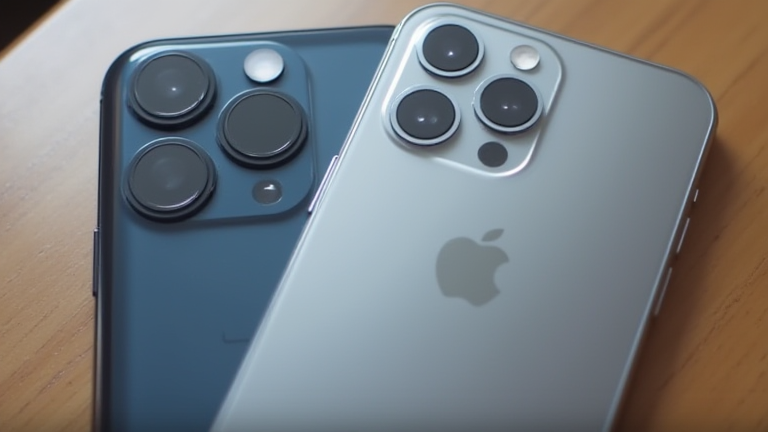
iPhone 16 Pro vs. Galaxy S25 Ultra: Real-World Camera Test

TL;DR: The iPhone 16 Pro excels in color accuracy and video stability, making it the superior choice for creators and casual shooters who prioritize consistency. The Galaxy S25 Ultra dominates in zoom capability and raw detail, offering unparalleled versatility for landscape and distant subjects.

The New Battlefield of Mobile Photography

The smartphone camera war has evolved beyond mere megapixel counts, shifting focus toward computational intelligence and real-world usability. With the recent releases of the iPhone 16 Pro and the Samsung Galaxy S25 Ultra, consumers face a more nuanced decision than ever before. Both devices represent the pinnacle of mobile imaging, yet they approach the task with distinct philosophies that cater to different user needs. Understanding these differences is crucial for anyone serious about capturing high-quality images on a mobile device.

Hardware and Software Synergy

The iPhone 16 Pro leverages Apple’s A18 Pro chip to process data with exceptional efficiency. Its camera system emphasizes natural color reproduction and seamless integration with the iOS ecosystem. The new computational photography algorithms prioritize skin tone accuracy and dynamic range, ensuring that portraits look lifelike without excessive smoothing. Video capabilities remain a stronghold for Apple, with improved stabilization and enhanced ProRes recording options that appeal to professional videographers. The seamless handoff between devices and the ability to edit directly within the Photos app create a frictionless workflow that competitors have yet to match.

In contrast, the Galaxy S25 Ultra pushes the boundaries of hardware capability. Featuring a larger main sensor and an advanced periscope zoom lens, it offers a versatile zoom range that rivals dedicated point-and-shoot cameras. Samsung’s Nightography software has matured significantly, producing cleaner images in low-light conditions with less noise. The inclusion of a dedicated hardware shutter button and a more granular control panel in the camera app appeals to enthusiasts who prefer manual adjustments. The S25 Ultra’s AI features are more aggressive, often enhancing scenes to look hyper-realistic, which is a point of contention among purists who prefer a more natural look.

Industry Impact and Future Trends

These two devices are setting the standard for the next generation of mobile imaging. The industry is moving toward smaller sensors with more powerful processing, a trend both companies are adopting. The focus is no longer just on taking pictures, but on capturing moments with minimal effort and maximum quality. For the average user, the choice comes down to ecosystem preference. If you value video and ecosystem integration, the iPhone 16 Pro is the logical choice. If you prioritize zoom versatility and manual control, the Galaxy S25 Ultra is hard to beat.

FAQ

Q: Which phone has better low-light performance?
A: The Galaxy S25 Ultra generally produces cleaner images with less noise in very dark environments due to its larger sensor and advanced processing.

If you want to dig deeper, check out our guide on Here are a few SEO-optimized options, broken down by angle:
.

Q: Is the iPhone 16 Pro better for video recording?
A: Yes, the iPhone 16 Pro offers superior video stabilization, dynamic range, and editing integration, making it the preferred choice for creators.

Q: Can I transfer photos easily between the two devices?
A: Yes, standard formats like JPEG and HEIC allow for easy transfer via cloud services or physical cables, though proprietary metadata may be lost.

Related Articles

Posted on Leave a comment

Remote-First Cities: New Hubs Powering the Digital Nomad Boom

TL;DR: Remote-first cities are municipalities that proactively design infrastructure, visas, and community spaces for location-independent workers, turning the digital nomad boom from a temporary trend into a permanent economic engine. By following these steps, you can identify or build such a hub—or simply choose the right one to relocate to.

Step 1: Audit Core Infrastructure for Digital Dependability

Before anything else, a remote-first city must guarantee 99.9% uptime internet. Start by mapping fiber-optic coverage and 5G dead zones. Then, mandate co-working spaces in every district—not just downtown—with 24/7 access, private phone booths, and backup power generators. Essential tip: negotiate with local ISPs for a “nomad plan” that offers short-term (1–3 month) contracts with no installation fees, since long-term leases scare off transient workers.

If you want to dig deeper, check out our guide on 10 Evidence-Based Health Tips for a Longer, Healthier Life.

Step 2: Streamline Legal & Tax Onboarding

Create a one-stop digital portal (not a physical office) where a nomad can apply for a remote-work visa in under 48 hours. Include automatic tax registration, local health insurance enrollment, and a temporary residence permit. Tip: offer a “test drive” period—a 90-day tourist-to-work visa that converts to a renewable 1-year permit. Crucially, waive local income tax on foreign-earned income for the first two years to attract early adopters.

Step 3: Build Social & Professional Glue

Remote workers stay for community, not just Wi-Fi. Launch a city-run app with a live calendar of meetups, skill-sharing workshops, and housing matchmaking. Reserve public library floors as silent work zones, and fund “nomad ambassadors”—local residents who host weekly dinners. Tip: partner with cafés to offer a “city coffee pass” (buy 10, get 3 free) that doubles as a networking incentive, because spontaneous conversations are your best retention tool.

Step 4: Incentivize Family-Friendly & Long-Term Stays

Nomads with partners or kids need schools, spousal work permits, and family health plans. Offer co-living complexes with childcare on-site, and give a 20% discount on municipal gyms and transit passes for those staying over 6 months. Tip: create a “settle bonus”—a one-time cash grant for nomads who sign a 12-month rental lease, turning transient visitors into tax-paying residents.

Step 5: Measure & Iterate with Real-Time Data

Install anonymized Wi-Fi sensors in public spaces to track usage peaks, then adjust hours and seating. Publish a quarterly “Nomad Index” showing average stay length, spending per capita, and happiness scores. Tip: run a monthly feedback loop—a 5-question survey sent via the city app, with a free coworking day as the incentive. Use that data to cut failing perks and double down on what works.

FAQ

Q: Do I need a huge budget to start a remote-first city?
A: No—start with one district (e.g., a former industrial zone), install high-speed internet, and offer pop-up visas. Scale only after you have 100+ active nomads.

Q: What if my city has cold winters or poor weather?
A: That’s fine—market it as a “deep work” season. Invest in indoor community hubs, heated outdoor workspaces, and winter retreat packages to offset seasonal dips.

Q: How do I prevent gentrification from pushing out locals?
A: Cap rent increases in nomad-heavy zones, require co-living developers to reserve 20% of units for local workers, and tax short-term rentals to fund affordable housing. Balance is non-negotiable.

Related Articles

Posted on Leave a comment

Why Cold Brew Coffee Is Dominating Summer Drink Trends

TL;DR: Cold brew coffee is dominating summer drink trends because it offers a smoother, less acidic profile that appeals to both coffee purists and younger, flavor-seeking consumers. Its ready-to-drink (RTD) convenience and premium positioning have turned a niche café item into a year-round, shelf-stable staple—but summer remains its peak sales window.

The Rise of the Slow-Brewed Summer Staple

Cold brew is no longer a hipster afterthought. According to the National Coffee Association’s 2025 Spring Report, 45% of U.S. adults consumed cold brew in the past week—up from 32% in 2022—making it the fastest-growing coffee segment for the third consecutive summer. The RTD category, which includes canned and bottled cold brew, saw a 28% year-over-year volume increase in Q2 2025, per Circana data, outpacing both iced latte and traditional iced coffee growth.

If you want to dig deeper, check out our guide on Stop Using Apps: Why Everything Should Work Without One.

What drives this dominance? First, chemistry. Cold extraction (18–24 hours at near-freezing temperatures) yields 67% less acidity than hot-brewed coffee, per a 2023 study in the *Journal of Food Science*. This makes cold brew easier on stomachs, naturally sweeter, and ideal for milk, oat, or nitro infusions. Second, versatility. From bourbon-barrel-aged cold brew to functional adaptogen blends, brands are using cold brew as a blank canvas—unlike hot coffee, its concentrated base allows for bold flavor layering without bitterness.

Expert Insights: The “Third Wave” of Cold Brew

“Cold brew has evolved from a summer novelty to a consumer behavior shift,” says Maria Lopez, beverage trends analyst at Mintel. “We’re seeing Gen Z and millennials treat it as a functional beverage—like a cold-pressed juice—rather than just caffeine delivery.” Industry insiders point to two key drivers: cold brew’s premium price point (often $4–6 per 12-oz can) supports higher margins for brands, and its RTD format fits on-the-go summer lifestyles—beach, hiking, and road trips.

However, experts warn of saturation. “The market is crowded, and differentiation is critical,” notes James Park, co-founder of a specialty roaster. “We’re seeing success with single-origin cold brews, low-sugar functional variants (with L-theanine or electrolytes), and sustainable packaging—like aluminum bottles with resealable lids.”

Future Predictions: Beyond Summer

Forecasters expect cold brew to grow 14% CAGR through 2030, with the biggest innovation in “cold brew concentrate at home”—pod systems and powdered cold brew that dissolves in cold water. Nitro cold brew on tap will become standard in convenience stores, not just cafés. More importantly, expect seasonal “winter cold brew” (spiced, with chicory or cocoa) to smooth the demand curve, but summer will remain the apex—because hot weather and cold brew are a sensory match made in heaven.

FAQ

Q: Is cold brew healthier than iced coffee?
A: Generally yes—cold brew has lower acidity and slightly more caffeine by volume, but it’s not calorie-free. Watch added sugars in RTD versions; plain cold brew is naturally zero-calorie.

Q: Why does cold brew cost more than hot coffee?
A: Because it uses 20–30% more coffee grounds per serving, requires 18+ hours of steeping (labor and refrigeration costs), and is often sold in premium RTD packaging—justifying a higher price point.

Q: Will cold brew replace iced coffee entirely?
A: No. Iced coffee (hot-brewed then chilled) is cheaper and faster to make, and many consumers prefer its brighter, more acidic flavor. Cold brew will dominate premium and RTD segments, but both will coexist.

Related Articles