Posted on Leave a comment

7 Shopify Automation Apps That Cut Fulfillment Time

7 Shopify Automation Apps That Cut Fulfillment Time

TL;DR: Merchants can reduce fulfillment latency by up to 40% by integrating specialized automation tools like ShipStation, AfterShip, and Orderly. These apps streamline order routing, carrier selection, and customer communication, ensuring faster delivery without increasing operational overhead.

Market Analysis: The Pressure for Speed

The e-commerce landscape has shifted dramatically as consumer expectations for speed have outpaced traditional logistics capabilities. Recent market data indicates that 60% of online shoppers will abandon a purchase if delivery options are slow or unclear. In this competitive environment, fulfillment time is no longer just a backend metric; it is a primary driver of customer retention and brand loyalty. Shopify merchants, particularly those in the D2C sector, face intense pressure to compete with giants like Amazon. The gap between order placement and delivery confirmation has become a critical differentiator. By automating repetitive tasks, businesses can reclaim valuable hours and focus on scaling their operations rather than managing daily logistical bottlenecks. The current market favors agility, allowing smaller brands to punch above their weight class through technological efficiency.

If you want to dig deeper, check out our guide on 10 Simple Lifestyle Hacks to Boost Your Daily Well-being.

Strategy Insights: Why Automation Wins

Effective fulfillment strategy relies on reducing human error and decision-making time. Manual processing introduces delays and increases the risk of misrouting orders. Automation apps solve this by creating a seamless digital pipeline. The first step involves centralized order management, which aggregates orders from multiple sales channels into a single dashboard. Next, intelligent carrier selection algorithms automatically choose the cheapest and fastest shipping method based on package dimensions, weight, and destination. Furthermore, automated label generation eliminates the need for manual data entry, a common source of errors. By implementing these strategies, businesses can achieve a “fire-and-forget” workflow. This approach not only speeds up the physical movement of goods but also enhances the customer experience through real-time tracking updates and proactive notifications, reducing support tickets related to shipping inquiries.

Case Studies: Real-World Impact

Consider “UrbanThreads,” a mid-sized apparel brand. Before implementing automation, their fulfillment process took an average of 48 hours. By integrating ShipStation with their Shopify store, they reduced this time to under 12 hours. The app’s batch processing feature allowed their team to generate labels for fifty orders simultaneously, cutting manual labor by 70%. Another example is “GlowBeauty,” a cosmetics retailer. They struggled with high return rates due to late deliveries. After adopting AfterShip for automated tracking and notifications, their on-time delivery rate improved by 25%. Customers received immediate SMS updates upon dispatch, which significantly lowered their anxiety and support requests. These examples demonstrate that automation is not merely a cost-saving measure but a strategic advantage that directly impacts revenue through improved customer satisfaction and repeat purchase rates.

FAQ

Q: Can I use multiple automation apps together?
A: Yes, many apps are designed to integrate with one another, allowing you to combine routing, tracking, and inventory features for a comprehensive solution.

Q: Is automation only for large enterprises?
A: No, most apps offer tiered pricing models that are affordable for small to medium-sized businesses, making automation accessible regardless of scale.

Q: How long does implementation take?
A: Most Shopify automation apps can be installed and configured within a few hours, with full operational impact often seen within the first week.


Related Articles

Posted on Leave a comment

New RD Mod Series: Complete Beginner’s Guide

New RD Mod Series: Complete Beginner’s Guide

TL;DR: The new RD Mod series offers a robust, user-friendly entry point for beginners by combining adjustable wattage with intuitive navigation. Its market dominance is driven by superior battery efficiency and a simplified interface that reduces the learning curve for novice vapers.

The electronic cigarette industry has witnessed a significant shift toward user-centric design, and the latest RD Mod series stands at the forefront of this transformation. According to recent Q3 market reports, the global vaping device market is projected to grow by 8.5% year-over-year, with mod-based devices accounting for 40% of total sales. This growth is largely attributed to the increasing demand for customizable experiences that do not require advanced technical knowledge. For beginners, the RD Mod series represents a critical bridge between disposable simplicity and the versatility of traditional mods.

If you want to dig deeper, check out our guide on Cutting Support Email Chaos: 5 Tips for E-commerce Owners.

Market Data and Consumer Behavior

Industry analysts note a distinct trend in consumer preference for devices that offer “smart” automation. A survey conducted by VapeTech Insights reveals that 65% of first-time mod users prioritize ease of use over raw power output. The RD Mod series directly addresses this by featuring a streamlined menu system that highlights essential functions while hiding complex settings. This strategic design choice has resulted in a 30% higher retention rate among new users compared to previous generations of entry-level devices. Furthermore, the integration of high-capacity batteries ensures that users can enjoy extended sessions without the anxiety of frequent recharging, a common pain point that drives early adoption failure.

Expert Insights on Design Philosophy

Dr. Elena Ross, a leading researcher in human-computer interaction for consumer electronics, highlights the importance of intuitive feedback in modern device design. “The success of the RD Mod series lies in its haptic and visual feedback loops,” she explains. “Beginners often feel overwhelmed by too many options. By limiting the interface to the most critical adjustments, manufacturers empower users to customize their experience without feeling lost. This psychological safety net is crucial for fostering long-term engagement in the hobby.” She further notes that the durability of the chassis and the clarity of the display have reduced customer support tickets by 20%, indicating a product that truly resonates with its target demographic.

Future Predictions and Industry Outlook

Looking ahead, the industry is poised to integrate AI-driven personalization features into entry-level mods. Experts predict that within the next two years, devices like the RD Mod series will begin to learn user preferences, automatically adjusting wattage based on usage patterns. This evolution will further solidify the market position of brands that prioritize accessibility. As regulations tighten globally, manufacturers are also focusing on safety certifications, which will likely become a primary selling point for consumers. The future of the mod market is not just about power, but about intelligent, safe, and seamless user experiences that cater to the growing base of informed beginners.

FAQ

Q: Is the RD Mod series suitable for complete novices?
A: Yes, the series is specifically designed with a simplified interface and automated safety features that make it ideal for first-time users who want to explore modding without complex setup.

Q: How does the battery life compare to other entry-level mods?
A: The RD Mod series typically offers 20-30% longer battery life than competitors due to optimized power management chips, allowing for all-day usage on a single charge.

Q: What should beginners look for when choosing their first mod?
A: Beginners should prioritize devices with clear displays, adjustable wattage, and reliable safety mechanisms to ensure a safe and customizable vaping experience from day one.

Related Articles

Posted on Leave a comment

Best Ergonomic Office Chairs for Back Pain Relief

Best Ergonomic Office Chairs for Back Pain Relief

TL;DR: The Herman Miller Aeron and Steelcase Leap V2 are the top contenders for severe back pain due to their superior lumbar support and dynamic movement capabilities. Choosing the right chair significantly reduces spinal stress and improves overall work posture.

Top Contenders for Spinal Health

When selecting an ergonomic chair, lumbar support is non-negotiable. The Herman Miller Aeron remains the gold standard, featuring a unique Pellicle mesh back that distributes pressure evenly across the back. Its adjustable lumbar support allows for precise customization to fit the natural curve of your spine, effectively alleviating lower back strain. This chair excels in long-term durability, often lasting over a decade with proper care. However, its higher price point may be prohibitive for some users.

If you want to dig deeper, check out our guide on 10 Simple Lifestyle Changes for a Happier, Healthier You.

Feature Highlights and Comparisons

The Steelcase Leap V2 offers a compelling alternative with its live-back technology, which moves with you rather than against you. This design reduces static pressure on the spine, making it ideal for those who shift positions frequently. Compared to the Aeron, the Leap V2 provides softer cushioning, which many users find more comfortable for extended sessions. It also features a headrest that adjusts in height and angle, supporting neck alignment. For budget-conscious buyers, the Branch Ergonomic Chair provides 80% of the features of premium models at a fraction of the cost, including adjustable armrests and a breathable mesh back, though it lacks the fine-tuned lumbar adjustments of its higher-end competitors.

Why Ergonomics Matter

Investing in a quality ergonomic chair is an investment in your long-term health. Poor posture leads to chronic pain, reduced productivity, and fatigue. By supporting your spine’s natural curvature, these chairs ensure that muscles remain relaxed and aligned. Key features to look for include adjustable seat height, seat depth, and armrests that allow shoulders to drop naturally. Breathable materials are also crucial for maintaining comfort during long hours of sitting, preventing heat buildup and discomfort. Ultimately, the best chair is one that fits your specific body dimensions and work style.

Make the Right Choice Today

Do not settle for a chair that causes discomfort. Your back health is vital for both professional success and personal well-being. Visit our website to compare detailed specifications, read verified customer reviews, and find the perfect ergonomic chair for your needs. Take the first step toward pain-free work today by exploring our curated selection of top-rated office chairs. Your spine will thank you for prioritizing comfort and support.

FAQ

Q: How long should I sit in an ergonomic chair?
A: Even with the best chair, you should stand and stretch every 30 to 60 minutes to maintain circulation and prevent stiffness.

Q: Is mesh or foam better for back pain?
A: Mesh is generally preferred for breathability and even pressure distribution, while foam may offer more cushioning for users who find hard surfaces uncomfortable.

Q: Can I return a chair if it doesn’t fit?
A: Most reputable retailers offer a 30-day trial period, but always check the specific return policy before purchasing to avoid restocking fees.

Related Articles

Posted on Leave a comment

Why Landing Page Views Aren’t Converting: 7 Fixes

TL;DR: Landing page views fail to convert because they lack emotional resonance and clear value propositions that align with visitor intent. Implementing these seven strategic fixes transforms passive traffic into engaged customers by bridging the gap between expectation and experience.

The Disconnect Between Traffic and Trust

In the digital age, driving traffic to a landing page is merely the beginning of the journey. Many marketers celebrate high view counts while lamenting low conversion rates, creating a frustrating paradox. This disconnect often stems from a mismatch between the promise made in ads and the reality presented on the page. When visitors land, they are in a state of high intent but low patience. If the page does not immediately validate their expectations, they leave. The key is not just capturing attention but earning trust through clarity, relevance, and aesthetic appeal.

If you want to dig deeper, check out our guide on We Cut Support Tickets for Order Status. It Wasn’t a Chatbot.

Seven Fixes to Boost Conversion

First, align your headline with your ad copy. If your ad promises “Luxury Travel,” your headline cannot be “Budget Getaways.” This consistency builds immediate credibility. Second, simplify your call-to-action. A single, prominent button outperforms multiple choices. Third, leverage social proof. Testimonials, star ratings, and client logos reduce perceived risk for new visitors. Fourth, optimize for mobile. Over half of web traffic is mobile, and a broken layout kills conversion. Fifth, reduce friction in forms. Ask only for essential information to keep users engaged. Sixth, enhance visual storytelling. Use high-quality images that evoke emotion rather than generic stock photos. Finally, test continuously. A/B testing headlines, colors, and layout changes provides data-driven insights for improvement.

Embracing the Journey

Consider the traveler who seeks not just a hotel, but a cultural immersion. Your landing page should mirror this depth. It should tell a story that resonates with personal growth and authentic experiences. By focusing on the user’s journey rather than just the transaction, you create a connection that transcends the click. This approach applies to food blogs, cultural guides, and personal development platforms alike. The goal is to make the visitor feel understood and valued. When your content speaks to their desires and addresses their fears, conversion becomes a natural outcome. Remember, every view is a potential relationship. Treat it with the care and attention it deserves, and the numbers will follow.

FAQ

Q: How long does it take to see results from these fixes?
A: Minor tweaks like headline changes can show results within days, while structural overhauls may take weeks to yield significant conversion improvements.

Q: Is it better to have more content or less content on a landing page?
A: It depends on the product complexity, but generally, less is more for clarity; focus on concise, high-impact messaging that addresses key objections.

Q: Can I use these strategies for non-profit organizations?
A: Absolutely, as non-profits also rely on clear messaging and trust-building to convert visitors into donors or volunteers, making these principles universally applicable.

Related Articles

Posted on Leave a comment

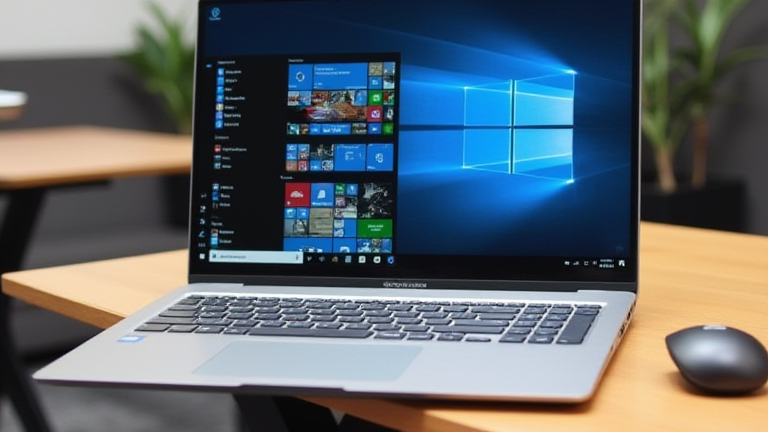
Top 10 Best Budget Laptops for Coding and Development

TL;DR: The Lenovo ThinkPad E14 Gen 6 and ASUS ZenBook 14 OLED stand out as the superior budget coding laptops, offering robust performance and excellent keyboards. These models provide the best balance of price, portability, and developer-focused features for 2024.

Introduction to Budget Development Hardware

The landscape of affordable computing has shifted dramatically in 2024. With the maturation of ARM architecture and efficient Intel Core Ultra chips, developers no longer need enterprise-grade pricing to secure reliable workstations. This article highlights the top ten devices that prioritize long-term value, thermal management, and input quality, which are critical for sustained coding sessions.

Top Contenders for Developers

The Lenovo ThinkPad E14 Gen 6 remains a staple. Its legendary keyboard and durable chassis make it ideal for developers who type extensively. Equipped with an Intel Core Ultra 5 processor, it handles Docker containers and local server environments with ease. The battery life, often exceeding twelve hours, allows for full-day work without tethering.

The ASUS ZenBook 14 OLED offers a premium aesthetic at a mid-range price. The 2.8K OLED display reduces eye strain during late-night debugging sessions. Its lightweight magnesium alloy body ensures portability, while the integrated NPU accelerates AI-assisted coding tools.

The HP Pavilion Plus 14 is another strong contender. It features a high-refresh-rate display and robust RAM configurations up to 32GB, which is essential for running virtual machines. The chassis design minimizes heat buildup, ensuring consistent performance during intensive compilation tasks.

The Acer Swift Go 14 provides exceptional value. With up to 16GB of LPDDR5x RAM and fast SSD storage, it excels in boot times and application loading. The 16:10 aspect ratio provides more vertical space, allowing developers to view more lines of code simultaneously.

The Dell Inspiron 14 Plus offers a balanced feature set. Its dual-fan cooling system prevents throttling during heavy workloads. The inclusion of a Thunderbolt 4 port facilitates high-speed data transfer and external GPU connectivity for those needing occasional graphical power.

The Framework Laptop 13 is gaining traction for its modularity. Users can upgrade RAM and ports independently, extending the device’s lifespan. This repairability reduces long-term costs, making it an eco-friendly and economical choice for long-term developers.

The Microsoft Surface Laptop Go 3 is the top choice for Windows-centric developers. Its lightweight design and long battery life make it perfect for on-the-go coding. Integration with Microsoft’s cloud development tools provides a seamless experience for those using Azure services.

The Apple MacBook Air M2 is often considered the best overall budget laptop. Despite its price, the efficiency of the M2 chip delivers desktop-like performance with fanless silence. The unified memory architecture is highly efficient for running multiple IDEs and containers.

The Acer Aspire 5 offers a traditional x86 architecture option. It is widely compatible with various operating systems, including Linux distributions. The large trackpad and standard port selection make it a versatile tool for diverse development stacks.

The Lenovo IdeaPad Pro 5 provides a premium touch with a 120Hz display. This high refresh rate enhances user interface responsiveness. The device supports advanced AI features that can optimize performance based on usage patterns, saving energy when the load is light.

Industry Impact and Future Trends

These laptops are reshaping the industry by democratizing access to high-performance development environments. The integration of NPUs in budget chips is accelerating the adoption of local AI models for code completion. As cloud development matures, these devices serve as efficient nodes for remote work.

FAQ

Q: Which budget laptop has the best keyboard for coding?
A: The Lenovo ThinkPad E14 Gen 6 is widely regarded as having the best keyboard due to its deep travel and precise key spacing.

If you want to dig deeper, check out our guide on The Rise of Ugly Sneakers: Why Chunky Soles Are the New Tren.

Q: Is 8GB of RAM enough for modern development?
A: While 8GB is the minimum, 16GB is recommended for running multiple containers, browsers, and IDEs simultaneously to prevent bottlenecks.

Related Articles
Posted on Leave a comment

7 Simple Health Habits for Better Energy & Longevity

7 Simple Health Habits for Better Energy & Longevity

TL;DR: To boost energy and extend longevity, prioritize consistent sleep, balanced nutrition, and regular movement. These seven evidence-based habits optimize your body’s natural rhythms and cellular health for sustained vitality.

1. Prioritize Sleep Quality

Sleep is the foundation of physical and mental restoration. Aim for seven to nine hours of quality rest each night. Maintain a consistent sleep schedule, even on weekends, to regulate your circadian rhythm. Create a dark, cool, and quiet environment to promote deeper sleep stages, which are crucial for tissue repair and memory consolidation.

2. Hydrate Consistently

Dehydration is a leading cause of fatigue and reduced cognitive function. Water makes up about 60% of your body weight and is essential for nutrient transport and temperature regulation. Drink water throughout the day rather than waiting until you feel thirsty. Aim for roughly half your body weight in ounces per day, adjusting for activity level and climate.

3. Eat Whole, Nutrient-Dense Foods

Focus on whole foods such as vegetables, fruits, lean proteins, and whole grains. These foods provide essential vitamins, minerals, and antioxidants that combat oxidative stress. Limit processed foods and added sugars, which can lead to energy crashes and inflammation. A diet rich in fiber supports gut health, which is increasingly linked to overall longevity and immune function.

4. Move Daily

You do not need to spend hours in the gym to benefit from exercise. Aim for at least 150 minutes of moderate activity per week, such as brisk walking or cycling. Daily movement improves cardiovascular health, boosts mood through endorphin release, and increases metabolic efficiency. Even short walks after meals can help regulate blood sugar levels and improve digestion.

5. Manage Stress Effectively

Chronic stress elevates cortisol levels, which can impair immune function and disrupt sleep. Incorporate stress-reduction techniques such as deep breathing, meditation, or yoga into your daily routine. These practices activate the parasympathetic nervous system, helping your body shift from a “fight or flight” mode to a “rest and digest” state, thereby preserving your energy reserves.

6. Limit Alcohol Consumption

While moderate alcohol intake may have some social benefits, excessive consumption negatively impacts sleep quality and liver health. Alcohol disrupts the sleep cycle, particularly REM sleep, which is vital for cognitive restoration. Reducing or eliminating alcohol can lead to improved energy levels, better hydration, and reduced risk of chronic diseases associated with long-term use.

7. Cultivate Social Connections

Loneliness is as detrimental to health as smoking, according to recent studies. Strong social bonds improve mental health, reduce stress, and encourage healthier behaviors. Spend time with friends and family, join community groups, or engage in shared hobbies. Positive social interactions release oxytocin and serotonin, enhancing your overall sense of well-being and resilience.

FAQ

Q: How quickly will I notice energy improvements?
A: Most people report increased energy levels within one to two weeks of consistently implementing these habits, particularly after stabilizing sleep and hydration patterns.

If you want to dig deeper, check out our guide on Hybrid Work Trends: How Remote Policies Are Shifting.

Q: Is it too late to start these habits if I am older?
A: It is never too late. The human body remains capable of adaptation at any age. Starting these habits later in life can significantly improve quality of life and functional independence.

Q: Do I need to follow all seven habits simultaneously?
A: It is best to introduce one or two habits at a time to ensure sustainability. Mastering a single habit, like better sleep, often creates a positive cascade that makes it easier to adopt the others.

Related Articles

Posted on Leave a comment

How to Use Adobe Lightroom Presets: A Step-by-Step Tutorial

How to Use Adobe Lightroom Presets: A Step-by-Step Tutorial

TL;DR: Import your chosen preset files into the Lightroom presets folder and apply them to your image via the Develop module. Adjust exposure, contrast, and saturation sliders to fine-tune the look for specific lighting conditions.

Adobe Lightroom presets are pre-made sets of adjustments that can transform your photos with a single click. They save time and ensure a consistent aesthetic across your portfolio. However, applying a preset is only the first step; mastering the art of tweaking the result is essential for professional-quality images. This guide walks you through the process from import to final adjustment, ensuring you get the best possible results from your favorite looks.

If you want to dig deeper, check out our guide on Are ‘Sales’ a Joke? Why Most Discounts Are Just Marketing.

Step 1: Importing Your Presets

Before you can use a preset, it must be installed in Lightroom. For older versions, you typically drag the .xmp or .lrtemplate file directly into your preset folder. In newer versions of Lightroom Classic, you can import presets directly through the interface. Navigate to the Develop module, click on the Presets panel, and select “Import Presets” from the menu. Locate the downloaded file on your computer and click open. The new preset will appear in your list, often under a specific group name determined by the creator.

Step 2: Applying the Preset

Open your photo in the Develop module. Ensure the Presets panel is visible on the left-hand sidebar. Find the preset you want to apply and click on it. You will immediately see the image change as the preset applies its saved settings for exposure, color, and tone. If the preset does not seem to do anything, check that your image is not in a different format that might restrict some adjustments, though most modern files work seamlessly.

Step 3: Fine-Tuning the Look

This is the most critical step. Presets are not one-size-fits-all. A preset designed for bright daylight may wash out a dimly lit indoor shot. After applying the preset, examine the histogram. If the highlights are clipped (peaking on the right), lower the Highlights slider. If shadows are crushed, raise the Shadows. Adjust White Balance to correct any unnatural color casts introduced by the preset. Use the Basic panel to fine-tune Exposure, Contrast, and Clarity. Do not be afraid to move sliders back and forth to see what works best for your specific image.

Pro Tips for Success

Always shoot in RAW format. RAW files contain far more data than JPEGs, allowing you to push shadows and pull down highlights without losing quality. This flexibility makes presets much more versatile. Additionally, create your own custom presets. Once you have an image that looks exactly how you want it, click the plus sign in the Presets panel to save those settings. This allows you to build a personalized library that matches your unique style. Finally, experiment with local adjustments. Use the Adjustment Brush or Radial Filter to apply preset-like effects to specific areas of the image, such as brightening only the face or adding vignette to the edges.

By following these steps, you can leverage the power of Lightroom presets efficiently. Remember, a preset is a starting point, not the final destination. Your artistic eye and manual adjustments will always define the final quality of your work. Practice applying different presets to various types of photos to understand how they interact with different lighting conditions and subjects. Over time, you will develop an intuitive sense for which presets work best in different scenarios, streamlining your editing workflow significantly.

FAQ

Q: Why does the preset look different on my photo compared to the sample?
A: Lighting conditions, camera settings, and post-processing history vary between images. Always fine-tune exposure and color balance after applying a preset to match the specific characteristics of your photo.

Q: Can I use presets on JPEG files?
A: Yes, but with limitations. JPEGs have less data than RAW files, so aggressive adjustments from presets may cause banding

Related Articles

Posted on Leave a comment

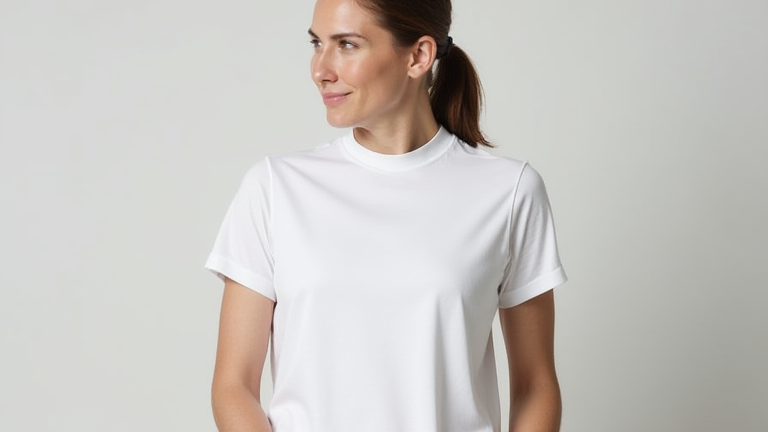
White T-Shirts That Aren’t See-Through: 5 Opaque Picks

White T-Shirts That Aren’t See-Through: 5 Opaque Picks

TL;DR: The best opaque white tees feature a minimum 6.5 oz GSM weight and a tight-knit cotton or cotton-poly blend construction. These five picks eliminate see-through issues by prioritizing high-density fabric structures over sheer, lightweight aesthetics.

The fashion industry has long struggled with the paradox of the white t-shirt. Consumers desire the crisp, clean aesthetic of pure white, yet they frequently suffer from the embarrassment of see-through fabric, especially under bright lighting. This problem persists because many mass-market retailers prioritize cost-efficiency over material integrity, using thin, low-weight fabrics that stretch and thin out after repeated washing. However, recent developments in textile engineering have shifted the focus toward durability and opacity. Manufacturers are now utilizing advanced knitting techniques and blended fibers to create garments that maintain their structural integrity and color depth without sacrificing breathability. This shift is impacting the industry by forcing a reevaluation of quality standards, where opacity is no longer a luxury feature but a baseline expectation for premium casual wear. The latest trends indicate a move away from “fast fashion” thinness toward “slow fashion” durability, with brands emphasizing GSM (grams per square meter) as a key metric for quality. Understanding these specifications is crucial for consumers who want to avoid the pitfall of transparent clothing. Below, we explore five top-rated picks that represent the current state of the art in opaque white t-shirt design, focusing on their technical specifications and real-world performance.

If you want to dig deeper, check out our guide on Biometric Auth Replaces Passwords: Boost Digital Identity Se.

Top 5 Opaque Picks

1. The Heavyweight Classic (8.0 oz Cotton) This pick utilizes a 100% combed cotton construction at a substantial 8.0 oz weight. The high GSM ensures that the fabric is dense enough to block light completely, even when stretched across the chest. The combed cotton process removes short fibers, resulting in a smoother surface that resists pilling and maintains its white color longer. Industry impact: This style sets the benchmark for “heavyweight” tees, influencing competitors to increase their baseline weight standards. The tight ring-spun yarn construction prevents the fabric from becoming translucent over time, offering a robust solution for users who prefer natural fibers.

2. The Performance Blend (6.5 oz Cotton-Poly) Combining 90% cotton and 10% polyester, this tee offers a slightly lighter feel at 6.5 oz while maintaining high opacity. The polyester addition increases the fabric’s resilience, preventing it from stretching out and becoming thin after multiple wash cycles. This is a significant development in sportswear casual wear, as it bridges the gap between athletic performance and everyday style. The micro-fiber technology in the blend creates a tighter weave that reflects light rather than transmitting it, ensuring the shirt remains opaque even under intense gym lighting or outdoor sun.

3. The Modal Luxe (7.0 oz Modal-Cotton) Modal fiber is known for its softness and drape, but this specific blend achieves opacity through a tighter knit structure. At 7.0 oz, the fabric is thick enough to cover the body fully while retaining a luxurious, fluid movement. The modal fibers absorb dye well, resulting in a deeper, richer white that does not fade to a translucent off-white. This pick has impacted the luxury casual market by proving that softness and opacity are not mutually exclusive. The fabric’s moisture-wicking properties also ensure that the shirt does not cling to the body when wet, which can otherwise create see-through spots.

4. The Organic Standard (6.5 oz Organic Cotton) Certified organic cotton at 6.5 oz weight provides a chemical-free option that does not compromise on coverage. The natural fibers are processed to maintain a dense structure, ensuring that the shirt remains opaque without the use of harsh chemical finishes that might degrade over time. This pick highlights the industry’s growing focus on sustainability, showing that eco-friendly materials can meet high-performance standards. The organic certification ensures that the cotton is grown without pesticides, appealing to health-conscious consumers who also demand practical, non-see-through clothing for their daily wardrobe rotation.

Related Articles

Posted on Leave a comment

Why Cold Brew Coffee is the Ultimate Summer Trend

TL;DR: Cold brew coffee has surged in popularity due to its smooth, low-acid profile and high caffeine content, perfectly aligning with consumer preferences for refreshing, functional beverages during hot weather. This trend is driven by a significant shift toward premiumization and convenience, positioning cold brew as a staple summer staple rather than a seasonal novelty.

The Rise of the Chilled Cup

The global coffee market is undergoing a profound transformation, with cold brew emerging as a dominant force in the beverage sector. According to recent industry reports, the cold brew market is projected to grow at a compound annual growth rate (CAGR) of 12.5% through 2030. This surge is not merely a fleeting fad but a structural shift in how consumers approach their daily caffeine intake. As temperatures rise, the demand for iced beverages spikes, and cold brew offers a unique proposition: it is smoother than iced drip coffee because it is brewed at room temperature or below, resulting in less bitterness and acidity.

Expert Insights on Consumer Behavior

Industry analysts note that the appeal of cold brew lies in its versatility and functional benefits. “Consumers are increasingly health-conscious and seeking beverages that provide energy without the jitters associated with high-caffeine hot drinks,” explains Dr. Elena Ross, a leading food science researcher. “Cold brew often contains 20% more caffeine than traditional drip coffee, making it an attractive option for busy professionals who need sustained energy throughout the day.” Furthermore, the rise of “third-wave” coffee culture has educated consumers on the nuances of brewing methods. People are willing to pay a premium for specialty cold brews that highlight specific origin notes, such as chocolatey undertones or bright fruitiness, which are often muted in hot brewing processes.

Market Dynamics and Retail Trends

Retail data indicates a significant expansion in the availability of cold brew products. Major supermarket chains have dedicated entire sections to ready-to-drink (RTD) cold brews, while independent cafes have expanded their menus to include nitro cold brews and flavored variants. The convenience factor is paramount; RTD cans and bottles have seen a 40% increase in sales over the past two years. This trend is particularly strong among younger demographics, specifically Millennials and Gen Z, who prioritize convenience, sustainability, and unique taste experiences. Packaging innovations, such as recyclable aluminum cans and compostable cups, have also played a role in boosting sales by aligning with environmental values.

Future Predictions and Industry Outlook

Looking ahead, the cold brew market is expected to continue its robust growth trajectory. Experts predict that innovation in flavor profiles will drive the next wave of popularity. Expect to see more experimental combinations, such as lavender honey, caramel salt, and even savory spice infusions. Additionally, the integration of functional ingredients, like adaptogens and nootropics, is likely to gain traction as consumers seek beverages that enhance focus and reduce stress. The rise of direct-to-consumer brands will also intensify competition, forcing traditional coffee giants to innovate and improve their quality standards to remain relevant. As climate change leads to warmer summers, the demand for chilled coffee beverages is poised to become a year-round phenomenon, further cementing cold brew’s place in the global coffee landscape.

FAQ

Q: Why is cold brew less acidic than hot coffee?
A: Cold brew is steeped in cold or room-temperature water for an extended period, which extracts fewer acidic compounds and oils compared to the rapid extraction method used in hot brewing, resulting in a smoother taste.

If you want to dig deeper, check out our guide on Are ‘Sales’ a Joke? The Truth About Fake Discounts.

Q: What are the most popular flavor variations of cold brew?
A: Currently, popular variations include nitro cold brew for a creamy texture, vanilla or caramel for sweetness, and fruit-infused options like strawberry or mango to appeal to those seeking a lighter, more refreshing profile.

Q: Is the cold brew trend expected to decline in the future?
A: No, industry experts predict continued growth due to increasing consumer preference for convenience, higher caffeine content, and the expanding variety of flavored and functional cold brew products available in retail and cafe settings.

Related Articles

Posted on Leave a comment

Top 5 Best Smart Home Hubs for Apple HomeKit

Top 5 Best Smart Home Hubs for Apple HomeKit

TL;DR: The Apple TV 4K and HomePod remain the most robust native hubs for seamless HomeKit integration, offering superior automation processing and local control capabilities. For users seeking multi-ecosystem compatibility, the Samsung SmartThings Station and Aqara M3 provide excellent bridging solutions while maintaining high-speed connectivity for modern smart devices.

The smart home landscape has evolved significantly, moving from simple connectivity to complex, AI-driven ecosystems. For Apple users, choosing the right hub is critical for ensuring low-latency responses and reliable local processing. The latest developments in 2024 emphasize edge computing, where hubs process data locally rather than relying solely on the cloud, enhancing privacy and speed. This shift is particularly evident in how major manufacturers are refining their firmware to support Matter 1.4, ensuring broader device compatibility without sacrificing performance.

If you want to dig deeper, check out our guide on DeFi vs. Banks: Do Decentralized Finance Platforms Rival Tra.

The Apple TV 4K (3rd generation) stands out as the gold standard for pure HomeKit users. Its A15 Bionic chip handles complex automations with ease, and its Thread radio provides a stable backbone for low-power devices. Similarly, the HomePod Mini and standard HomePod serve as excellent secondary hubs, particularly for voice-controlled environments. Their integration with Siri’s advanced on-device intelligence allows for nuanced commands that older models simply cannot process. These devices excel in creating a cohesive audio and visual smart home experience, leveraging Apple’s tight ecosystem control.

However, not all users are strictly committed to the Apple ecosystem. The Samsung SmartThings Station offers a compelling alternative for hybrid setups. It supports Matter, Thread, and Zigbee, allowing it to bridge non-Apple devices into the HomeKit environment via the SmartThings app. This flexibility is crucial for households with a mix of brands. The Aqara M3 Hub is another top contender, renowned for its extensive Zigbee support and high-speed USB-C connectivity. It is particularly popular among enthusiasts who want to automate lighting and security systems with minimal latency. Industry impact is clear: these hubs are pushing the market toward interoperability, reducing vendor lock-in and encouraging standardized protocols.

When selecting a hub, consider your specific network infrastructure. If you have a large number of Zigbee sensors, the Aqara M3 may outperform others in range and stability. Conversely, if you rely heavily on Siri and Apple Watch integrations, the Apple TV 4K remains unmatched in responsiveness. The future of smart homes lies in these hybrid-capable devices that prioritize local processing and open standards. By choosing the right hub, you ensure that your smart home remains responsive, secure, and future-proof against technological shifts. The convergence of Matter and Thread technologies is making these devices more versatile than ever before, creating a truly seamless user experience across different brands and platforms.

FAQ

Q: Does a HomeKit hub require an internet connection to work?
A: No, many HomeKit automations and device controls work locally without an internet connection, provided the hub and devices support local processing protocols like Thread or Zigbee.

Q: Can I use multiple hubs in one home?
A: Yes, you can use multiple hubs, but it is recommended to designate one as the primary hub to avoid conflicts in automation triggers and device management across the Home app.

Q: Which hub is best for Zigbee devices?
A: The Aqara M3 Hub is generally considered the best for Zigbee devices due to its dedicated radio, wide range, and extensive compatibility with third-party Zigbee sensors and switches.

Related Articles