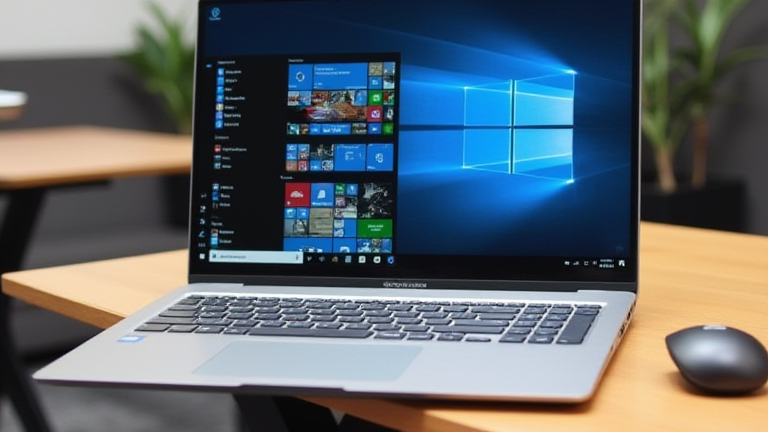
TL;DR: The Lenovo ThinkPad E14 Gen 6 and ASUS ZenBook 14 OLED stand out as the superior budget coding laptops, offering robust performance and excellent keyboards. These models provide the best balance of price, portability, and developer-focused features for 2024.
Introduction to Budget Development Hardware
The landscape of affordable computing has shifted dramatically in 2024. With the maturation of ARM architecture and efficient Intel Core Ultra chips, developers no longer need enterprise-grade pricing to secure reliable workstations. This article highlights the top ten devices that prioritize long-term value, thermal management, and input quality, which are critical for sustained coding sessions.
Top Contenders for Developers
The Lenovo ThinkPad E14 Gen 6 remains a staple. Its legendary keyboard and durable chassis make it ideal for developers who type extensively. Equipped with an Intel Core Ultra 5 processor, it handles Docker containers and local server environments with ease. The battery life, often exceeding twelve hours, allows for full-day work without tethering.
The ASUS ZenBook 14 OLED offers a premium aesthetic at a mid-range price. The 2.8K OLED display reduces eye strain during late-night debugging sessions. Its lightweight magnesium alloy body ensures portability, while the integrated NPU accelerates AI-assisted coding tools.
The HP Pavilion Plus 14 is another strong contender. It features a high-refresh-rate display and robust RAM configurations up to 32GB, which is essential for running virtual machines. The chassis design minimizes heat buildup, ensuring consistent performance during intensive compilation tasks.
The Acer Swift Go 14 provides exceptional value. With up to 16GB of LPDDR5x RAM and fast SSD storage, it excels in boot times and application loading. The 16:10 aspect ratio provides more vertical space, allowing developers to view more lines of code simultaneously.
The Dell Inspiron 14 Plus offers a balanced feature set. Its dual-fan cooling system prevents throttling during heavy workloads. The inclusion of a Thunderbolt 4 port facilitates high-speed data transfer and external GPU connectivity for those needing occasional graphical power.
The Framework Laptop 13 is gaining traction for its modularity. Users can upgrade RAM and ports independently, extending the device’s lifespan. This repairability reduces long-term costs, making it an eco-friendly and economical choice for long-term developers.
The Microsoft Surface Laptop Go 3 is the top choice for Windows-centric developers. Its lightweight design and long battery life make it perfect for on-the-go coding. Integration with Microsoft’s cloud development tools provides a seamless experience for those using Azure services.
The Apple MacBook Air M2 is often considered the best overall budget laptop. Despite its price, the efficiency of the M2 chip delivers desktop-like performance with fanless silence. The unified memory architecture is highly efficient for running multiple IDEs and containers.
The Acer Aspire 5 offers a traditional x86 architecture option. It is widely compatible with various operating systems, including Linux distributions. The large trackpad and standard port selection make it a versatile tool for diverse development stacks.
The Lenovo IdeaPad Pro 5 provides a premium touch with a 120Hz display. This high refresh rate enhances user interface responsiveness. The device supports advanced AI features that can optimize performance based on usage patterns, saving energy when the load is light.
Industry Impact and Future Trends
These laptops are reshaping the industry by democratizing access to high-performance development environments. The integration of NPUs in budget chips is accelerating the adoption of local AI models for code completion. As cloud development matures, these devices serve as efficient nodes for remote work.
FAQ
Q: Which budget laptop has the best keyboard for coding?
A: The Lenovo ThinkPad E14 Gen 6 is widely regarded as having the best keyboard due to its deep travel and precise key spacing.
If you want to dig deeper, check out our guide on The Rise of Ugly Sneakers: Why Chunky Soles Are the New Tren.
Q: Is 8GB of RAM enough for modern development?
A: While 8GB is the minimum, 16GB is recommended for running multiple containers, browsers, and IDEs simultaneously to prevent bottlenecks.