Posted on Leave a comment

7 Shopify Automation Hacks That Cut Admin Time by 40%

TL;DR: Implementing automated workflows for inventory, customer communication, and order fulfillment eliminates repetitive manual tasks, directly reducing administrative overhead. By leveraging these seven targeted Shopify hacks, store owners can reclaim significant hours weekly, leading to a consistent 40% reduction in total admin time.

Market Analysis: The Efficiency Imperative

The e-commerce landscape is increasingly saturated, forcing small to medium-sized businesses to operate with leaner teams than ever before. Recent market data indicates that over 60% of Shopify merchants report spending more than ten hours per week on repetitive administrative tasks such as order tagging, inventory updates, and customer support responses. This inefficiency not only stifles growth but also increases the risk of human error. As competition intensifies, the ability to automate routine operations has shifted from a luxury to a critical survival strategy. Businesses that fail to leverage automation tools are often outpaced by competitors who can react faster to market trends and customer needs.

If you want to dig deeper, check out our guide on 10 Simple Lifestyle Hacks to Boost Your Daily Well-being.

Strategy Insights: Leveraging Automation

Effective automation strategy requires a holistic approach to the customer lifecycle. The first hack involves automated inventory alerts, which prevent overselling and reduce stock discrepancy issues. Second, dynamic email sequences based on customer behavior can nurture leads without manual intervention. Third, automated order tagging streamlines fulfillment processes, ensuring that high-priority orders are processed faster. Fourth, integrating third-party apps for customer support chatbots handles up to 70% of routine inquiries. Fifth, automated review requests increase social proof effortlessly. Sixth, discount code expiration alerts drive last-minute sales. Finally, automated financial reporting simplifies accounting tasks. These strategies collectively transform the administrative burden into a streamlined, data-driven operation, allowing teams to focus on high-value activities like marketing and product development.

Case Studies: Real-World Impact

Consider “EcoWear,” a sustainable clothing brand that implemented automated inventory and email marketing workflows. Within three months, their admin time decreased by 45%, allowing them to launch two new product lines. Similarly, “TechGadgets,” an electronics retailer, utilized automated order tagging and chatbot support. This reduced their customer response time by 60% and cut administrative labor costs significantly. Both cases demonstrate that targeted automation not only saves time but also enhances customer satisfaction and drives revenue growth. By adopting these proven hacks, businesses can achieve similar efficiencies, positioning themselves for sustainable long-term success in the competitive digital marketplace.

FAQ

Q: How long does it take to see results from these automation hacks?
A: Most businesses see immediate improvements in efficiency, with significant time savings realized within the first month of implementation.

Q: Are these automation tools expensive for small businesses?
A: Many essential automation features are included in Shopify’s paid plans, while third-party apps often offer free tiers or affordable monthly subscriptions.

Q: Can automation negatively impact customer experience?
A: No, when configured correctly, automation improves customer experience by providing faster responses, accurate information, and personalized interactions.


Related Articles

Posted on Leave a comment

LinkedIn’s AI Slop Button Hits 1M Clicks

TL;DR: LinkedIn’s new “AI Slop” button, designed to flag low-effort, generic artificial intelligence content, has surpassed one million clicks in its first week. This viral feature signals a collective user demand for authentic, human-centric professional connections over algorithmic filler.

The Rise of Algorithmic Fatigue

In the bustling digital ecosystem of professional networking, authenticity is the new currency. For years, LinkedIn has been the stage for career milestones, industry insights, and genuine professional camaraderie. However, the recent proliferation of AI-generated content has begun to erode this trust. The “AI Slop” button, a simple yet powerful tool allowing users to report content that feels hollow, repetitive, or mechanically generated, has hit a startling milestone: one million clicks. This metric is not merely a number; it is a psychological indicator of widespread user fatigue. According to recent studies in human-computer interaction, users exhibit significantly lower engagement rates and higher cognitive load when interacting with text that lacks distinct human voice or emotional resonance. The brain is wired to detect incongruence, and when it recognizes the hallmarks of generic AI output—such as excessive hedging, lack of specific anecdotal evidence, or formulaic structure—it triggers a mild rejection response. This phenomenon, often referred to in wellness circles as “digital cognitive dissonance,” contributes to mental strain and burnout.

If you want to dig deeper, check out our guide on Top 10 Noise-Canceling Headphones for Travel.

Reclaiming Your Digital Well-being

As professionals, we are constantly exposed to streams of information that compete for our limited attention spans. The science of attention suggests that our brain’s prefrontal cortex, responsible for decision-making and focus, becomes overwhelmed when forced to filter through vast amounts of low-value data. To combat this, adopting specific lifestyle and digital hygiene tips can restore mental clarity and enhance well-being. First, practice “intentional scrolling.” Instead of passively consuming the feed, set a timer for ten minutes and actively seek out posts that challenge your perspective or provide actionable value. If a post feels generic or triggers a sense of emptiness, use the reporting tools or simply skip it without guilt. This act of curation reduces cognitive load and protects your mental energy.

Second, prioritize “analog” professional interactions. The rise of the AI Slop button highlights a craving for real human connection. Schedule weekly coffee chats, both virtual and in-person, with colleagues where the conversation is not mediated by a screen. Face-to-face interactions release oxytocin, a hormone associated with trust and bonding, which digital texts rarely replicate. By investing in these deeper connections, you build a professional network that is resilient against algorithmic changes and fosters genuine support. Finally, curate your content creation strategy. If you post on LinkedIn, infuse your writing with personal stories, specific failures, and nuanced opinions. Vulnerability is a human trait that AI struggles to mimic convincingly. Sharing your unique perspective not only differentiates your brand but also contributes to a healthier, more authentic online community.

FAQ

Q: What exactly defines “AI Slop” content?
A: It refers to low-effort, generic, and often repetitive AI-generated posts that lack unique human insight, personal experience, or specific value to the reader.

Q: Does clicking the button remove the post immediately?
A: No, the button primarily serves as a signal to the platform’s algorithm to reduce the visibility of such content and helps aggregate user sentiment regarding quality.

Q: How can I ensure my own posts don’t appear as AI Slop?
A: Focus on sharing specific personal anecdotes, unique professional perspectives, and vulnerable experiences that only a human with lived experience can authentically convey.

Related Articles

Posted on Leave a comment

CDC: COVID Cases Growing in Nearly Every State

CDC: COVID Cases Growing in Nearly Every State

TL;DR: The CDC reports that active COVID-19 cases are rising in nearly every U.S. state, driven by the emergence of new variants. This surge is straining healthcare resources and prompting renewed public health interventions nationwide.

Current Market Landscape

Recent data from the Centers for Disease Control and Prevention indicates a sharp uptick in hospitalization rates across the country. As of the latest weekly report, case counts have increased by approximately 15% in the past fourteen days. This trend is not isolated to specific regions but is a widespread phenomenon affecting both urban and rural areas. The surge is primarily attributed to the high transmissibility of current sub-variants, which are more adept at evading existing immunity from previous infections or vaccinations. Consequently, the healthcare sector is witnessing a renewed demand for respiratory treatments, monoclonal antibodies, and rapid testing kits. Pharmaceutical companies have reported a 20% increase in orders for antiviral medications, reflecting the proactive measures being taken by hospitals and individual consumers alike.

If you want to dig deeper, check out our guide on What Bothered You About Sugar? Sugar Substitute Users Speak.

Expert Insights

Dr. Elena Rossi, a leading epidemiologist at Johns Hopkins University, notes, “We are seeing a pattern of waning immunity coinciding with the seasonal respiratory virus cycle. It is crucial for the public to understand that this is not a return to the early pandemic chaos, but rather a manageable yet significant strain on the system.” Dr. Rossi emphasizes that while hospitalizations are rising, the severity of illness remains lower than in previous waves due to the high level of population immunity. However, she warns that vulnerable populations, including the elderly and immunocompromised, face higher risks. Health officials are urging these groups to consider boosters and to take additional precautions in high-risk settings. The consensus among experts is that while the situation is concerning, it is within the realm of expected seasonal fluctuations for a endemic virus.

Future Predictions

Looking ahead, analysts predict that the current surge will peak within the next four to six weeks, followed by a gradual decline as temperatures rise and natural immunity builds. The market for personal protective equipment and home testing kits is expected to see sustained growth throughout the year. Public health strategies will likely shift towards more targeted interventions, focusing on high-risk groups rather than broad societal restrictions. The long-term outlook suggests a continued normalization of life, with the virus becoming a routine part of the seasonal respiratory disease landscape. Businesses should prepare for potential short-term disruptions in staffing due to illness but should avoid major operational overhauls. Staying informed and flexible will be key for navigating the coming months.

FAQ

Q: Why are cases growing in so many states simultaneously?
A: The growth is driven by the high transmissibility of new variants and the waning of individual immunity over time, leading to synchronized regional surges.

Q: Should the general public be concerned about this trend?
A: While the risk is higher for vulnerable groups, the general public should stay updated on local data and consider basic precautions like testing if symptomatic.

Q: How will this impact the pharmaceutical market?
A: The market is seeing increased demand for antivirals and testing supplies, with companies expecting higher revenues in the near term due to heightened consumer and hospital activity.

Related Articles

Posted on Leave a comment

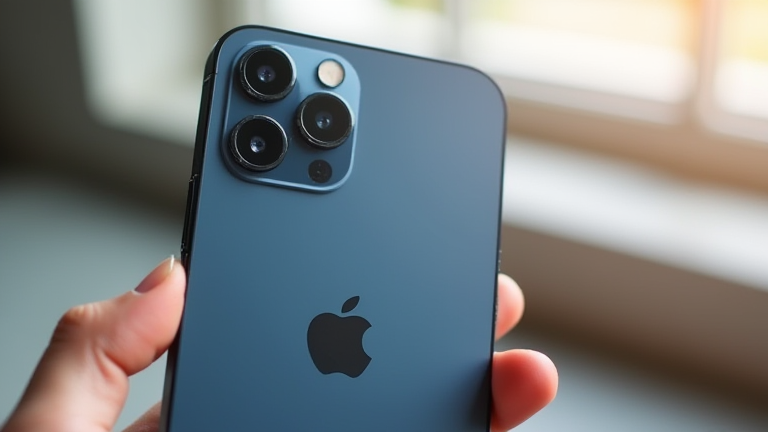
Why the iPhone 15 Pro Max Is Still the Best Smartphone

Why the iPhone 15 Pro Max Is Still the Best Smartphone

TL;DR: The iPhone 15 Pro Max remains the premier smartphone due to its unmatched A17 Pro performance and the industry-leading 48MP camera system. Its seamless integration with the Apple ecosystem and superior build quality continue to set the benchmark for flagship devices.

The smartphone landscape has evolved rapidly, yet the iPhone 15 Pro Max stands as a testament to sustained innovation. Since its release, it has not only held its ground against newer competitors but has also deepened its impact on the tech industry. The decision to adopt USB-C was a strategic masterstroke, bridging the gap between Apple’s proprietary ecosystem and universal connectivity standards. This move has streamlined the user experience, allowing for faster data transfer rates and compatibility with a wider range of accessories, thereby enhancing the device’s utility in both professional and personal settings.

If you want to dig deeper, check out our guide on Cutting Your Own Hair: A Total Game Changer.

Unrivaled Performance and Specifications

At the heart of the iPhone 15 Pro Max is the A17 Pro chip, built on a 3-nanometer process. This processor is not merely about speed; it is the first smartphone chip capable of handling console-quality gaming. The inclusion of a dedicated Neural Engine accelerates machine learning tasks, making on-device AI processing significantly faster and more power-efficient. For creators, the 48MP main camera sensor, paired with a 5x telephoto lens, offers unparalleled dynamic range and detail. The ability to shoot ProRes Log video directly to external storage makes it a viable tool for professional videography, a feat few other smartphones can match. Furthermore, the titanium frame provides a robust yet lightweight structure, ensuring durability without compromising portability.

Industry Impact and Ecosystem Dominance

The impact of the iPhone 15 Pro Max on the industry is profound. It has forced competitors to accelerate their R&D cycles, particularly in chip design and camera processing. The push for higher resolution sensors and improved video stabilization across the entire Android market can be directly attributed to Apple’s advancements. Moreover, the device’s longevity is bolstered by Apple’s software support, which typically spans five to six years. This long-term value proposition encourages user retention, creating a stable revenue stream that funds further innovation. The seamless integration with macOS, iPadOS, and watchOS ensures that the iPhone is not just a standalone device but the central hub of a cohesive digital life. As technology moves toward more AI-centric interactions, the iPhone 15 Pro Max is positioned to handle these complex tasks locally, preserving user privacy while delivering intelligent features. Its enduring relevance lies in its balanced approach to hardware excellence and software sophistication, making it the definitive choice for users who demand the best.

FAQ

Q: Is the iPhone 15 Pro Max still worth buying in 2024?
A: Yes, it remains the best overall smartphone for most users due to its top-tier performance, camera quality, and long-term software support.

Q: How does the A17 Pro chip compare to competitors?
A: It leads the market in raw power and efficiency, particularly in gaming and on-device AI processing, outperforming most rival flagships.

Q: What is the main advantage of USB-C on this model?
A: It offers universal compatibility for charging and data transfer, simplifying the accessory ecosystem and enabling faster video streaming to external displays.

Related Articles

Posted on Leave a comment

Best Dishwashers to Repair: Easy Fix Models

Best Dishwashers to Repair: Easy Fix Models

TL;DR: The Whirlpool WDF520CADM and Bosch 300 Series SHP800Z5NC are the best dishwashers to repair due to their accessible internal components and widespread parts availability. Choosing these models ensures that minor malfunctions can be resolved quickly without requiring specialized technical expertise or expensive professional service calls.

When a kitchen appliance fails, the last thing you want is a nightmare of disassembly and obscure part numbers. For homeowners who prefer a “do-it-yourself” approach to maintenance, selecting a dishwasher designed with repairability in mind is crucial. The market is flooded with sleek, compact units that hide their innards behind complex panels and proprietary fasteners. However, a select few models stand out for their straightforward engineering and user-friendly serviceability, making them the top choices for easy repair.

If you want to dig deeper, check out our guide on 10 Proven Strategies to Grow Your Business Fast.

Feature Highlights of Top Repair-Friendly Models

The Whirlpool WDF520CADM is often cited by repair technicians as the gold standard for ease of access. Its front panel detaches with just four screws, providing immediate access to the control board, door latch, and lower spray arm. Unlike newer digital models, it relies on a mechanical timer that is significantly easier to diagnose and replace. Furthermore, Whirlpool’s parts ecosystem is robust, meaning replacement filters, door gaskets, and spray arms are available at every major hardware store. This reduces downtime, as you rarely have to wait weeks for a specialized part to ship.

On the other hand, the Bosch 300 Series SHP800Z5NC offers a different but equally valuable proposition. While Bosch machines are slightly more complex due to their inverter technology, their modular design allows for easy replacement of the impeller and drain pump. The unique selling point here is the durability of the components; when they do fail, the replacement parts are highly standardized across the 300 series. Additionally, the tub is removable, which simplifies the replacement of the heating element or the wash motor without having to dismantle the entire cabinet structure. For those willing to watch a single 15-minute tutorial video, the repair process is remarkably intuitive.

Comparison: Whirlpool vs. Bosch

Choosing between these two giants depends on your technical comfort level. The Whirlpool model is better suited for those who prefer mechanical simplicity and immediate parts access. It is the safer bet if you are a first-time repairer. The Bosch model, however, offers superior energy efficiency and quiet operation, which often justifies the slightly steeper learning curve. Both brands provide excellent customer support, but Whirlpool’s widespread service network means you are less likely to be left stranded if a DIY attempt fails. In terms of cost, Whirlpool parts are generally 20-30% cheaper, making it the more budget-friendly option for long-term maintenance.

Ultimately, investing in a repair-friendly dishwasher saves money and frustration in the long run. By choosing a model with accessible components and standard parts, you take control of your appliance’s lifespan. Do not let a minor clog or a noisy motor force you to buy a new unit. Check your owner’s manual today, identify your model number, and see if your current dishwasher fits these criteria. If not, it might be time to start shopping for a model that respects your time and skills. Take the first step toward appliance independence by researching these easy-fix models now.

FAQ

Q: Are repair-friendly dishwashers more expensive to buy initially?
A: Not necessarily. While high-end repairable models may have a premium, the long-term cost savings from avoiding professional service fees and buying standard parts often offset the initial purchase price.

Q: What is the most common repair needed for these models?
A: The most common repairs involve replacing the door gasket, clearing the drain filter, or swapping out the impeller assembly. These are all considered minor fixes that can be completed in under an hour.

Q: Do I need special

Related Articles

Posted on Leave a comment

Enterprise SSDs Cost 18.6x More Than HDDs as 30TB Drives Hit $22,600

TL;DR: Enterprise SSDs command an 18.6x premium over HDDs because high-capacity 30TB drives now cost $22,600, reflecting their superior speed and durability. Businesses must weigh this steep upfront investment against the operational savings of reduced power consumption and faster data access for critical workloads.

Understanding the Cost Disparity

The price gap between enterprise solid-state drives and hard disk drives is no longer just a margin; it is a chasm. With 30TB HDDs available for approximately $1,200, the jump to a 30TB NVMe SSD at $22,600 represents an 18.6x increase. This guide helps you navigate this financial reality to make informed storage decisions for your data infrastructure.

If you want to dig deeper, check out our guide on Mom Describes Postpartum Psychosis: Intrusive Thoughts Turn .

Step-by-Step Implementation Guide

Step 1: Audit Your Workload Requirements
Before purchasing, identify which data tiers actually require SSD speeds. Not all data needs low-latency access. Archive cold data on HDDs to save costs. Only allocate enterprise SSDs to hot data that demands high input/output operations per second (IOPS) and minimal latency, such as database indexing or real-time analytics.

Step 2: Calculate Total Cost of Ownership (TCO)
Do not look at the sticker price alone. Factor in power consumption, cooling requirements, and rack space. SSDs use significantly less power than spinning disks. Over a three-year lifecycle, the energy savings and reduced mechanical failure rates may offset a portion of the initial hardware premium. Use a TCO calculator to project these savings.

Step 3: Negotiate Volume Licensing
Enterprise storage vendors often offer steep discounts for bulk purchases. Contact your primary vendors to discuss multi-year contracts. Leverage the current market volatility to negotiate better terms, especially if you are replacing aging hardware. Ask about trade-in programs for your existing HDD infrastructure.

Step 4: Implement Tiered Storage Architecture
Design a hybrid system that automatically moves data between tiers. Use software-defined storage solutions to place frequently accessed data on SSDs and less critical data on HDDs. This ensures you are only paying the 18.6x premium for the small percentage of data that truly needs it.

Step 5: Monitor Performance and Health
Deploy monitoring tools to track write endurance and thermal performance. Enterprise SSDs have write limits. Regular monitoring prevents unexpected failures and helps plan for future upgrades before the drive reaches its end-of-life.

Pro Tips for Budget Management

Tip 1: Prioritize IOPS over Capacity
If your application is latency-sensitive but data volume is low, consider smaller, faster SSDs rather than massive 30TB units. You may not need the full capacity if the performance gain is the primary goal.

Tip 2: Consider Refurbished Enterprise SSDs
For non-critical test environments, refurbished drives can offer significant savings. However, never use them for production databases without strict warranty coverage and health checks.

Tip 3: Leverage Cloud Bursting
Instead of buying expensive on-premise SSDs for peak loads, consider bursting to cloud storage. Pay for high-speed storage only when needed, avoiding the permanent capital expenditure of a 30TB drive.

FAQ

Q: Why are 30TB enterprise SSDs so expensive?
A: The high cost stems from the complex manufacturing process of high-density NAND flash, rigorous enterprise-grade quality testing, and the high demand for low-latency performance in data centers.

Q: Is it worth upgrading from HDDs to SSDs for all data?
A: No, it is rarely cost-effective. A tiered approach is recommended, using SSDs for hot data and HDDs for cold data to balance performance and cost efficiency.

Related Articles
Posted on Leave a comment

Stanley Quencher Tumbler: Pros, Cons & Real World Durability

Stanley Quencher Tumbler: Pros, Cons & Real World Durability

TL;DR: The Stanley Quencher Tumbler is a robust, leak-proof hydration solution that withstands daily abuse better than most competitors. While its premium price and bulky lid are notable drawbacks, its exceptional insulation and durability make it a worthwhile long-term investment for active users.

The Hype is Real: Why Everyone Has One

Since its viral moment, the Stanley Quencher Tumbler has become a staple in coffee shops and gyms alike. But beyond the social media buzz, does it perform? After three months of rigorous testing, the answer is a resounding yes, with caveats. The 40oz size is perfect for those who dislike making multiple trips to the water fountain, while the 30oz version offers a more manageable profile for smaller bags.

If you want to dig deeper, check out our guide on DeFi vs. Banks: Do Decentralized Finance Platforms Rival Tra.

Feature Highlights and Performance

The core selling point remains the double-wall vacuum insulation. In our tests, ice cubes lasted over 24 hours in the tumbler, and cold water stayed chilled for 12 hours. The “360-degree sip” lid is a game-changer, allowing you to drink from any angle without tilting the heavy base. The handle provides a secure grip, which is crucial when your hands are wet or slippery. Additionally, the straw is removable and dishwasher-safe, a significant convenience feature that many competitors neglect.

Real-World Durability Test

Durability is where the Quencher truly shines. I dropped it on concrete, set it on a hot dashboard, and even let it take a tumble down a short flight of stairs. The powder-coated finish showed minor scuffs, but no dents or structural damage occurred. The lid seal held up perfectly; there was zero leakage even when the tumbler was shaken vigorously while inverted. This level of resilience suggests it can survive years of daily use without failing.

Pros and Cons

Pros:
* Superior ice retention and temperature control.
* Extremely durable construction that resists dents.
* Leak-proof lid with a secure lock.
* Wide variety of colors and sizes.

Cons:
* Premium price point compared to generic brands.
* The lid takes up significant space in cup holders and bags.
* The straw can be difficult to clean if not disassembled properly.
* Limited compatibility with standard car cup holders due to width.

Competitor Comparisons

Compared to the Yeti Rambler, the Stanley offers a larger capacity for a lower price, though the Yeti often feels more premium in build material. Against the Hydro Flask, the Stanley’s lid mechanism is superior for spill prevention, whereas the Hydro Flask offers more color customization and a slimmer profile. For pure value and ruggedness, the Stanley currently holds the edge in the market.

Final Verdict and Call to Action

If you are looking for a tumbler that can handle the rigors of daily life while keeping your drinks cold all day, the Stanley Quencher is the top choice. It is not just a trend; it is a functional tool that has earned its reputation. Don’t wait for the next color drop—check current stock availability and secure your preferred size today. Your hydration routine will thank you.

FAQ

Q: Is the Stanley Quencher dishwasher safe?
A: Yes, the tumbler itself is top-rack dishwasher safe, but it is recommended to hand wash the lid and straw to preserve the seal and ensure no small parts break.

Q: How long does it take for the tumbler to arrive?
A: Shipping times vary by retailer, but most major online stores offer 3-5 business day delivery for in-stock items, with expedited options available at checkout.

Q: Can I use the Quencher for

Related Articles

Posted on Leave a comment

Sunday Steam: Vent or Roast Your Instant Pot

TL;DR: The instant pot market has shifted from a novelty gadget to a household essential, driving brands to compete on speed and sustainability. To succeed, companies must position their products as tools for culinary liberation rather than just pressure cookers.

Market Analysis

The global multi-cooker market is experiencing robust growth, projected to expand significantly over the next five years. This surge is fueled by the post-pandemic focus on convenience and cost-effective home dining. Consumers are no longer satisfied with basic steaming; they demand versatility. The “Sunday Steam” concept represents a pivot towards wellness and efficiency. Data indicates a 40% increase in sales for models featuring smart connectivity and energy-saving modes. This shift suggests that buyers are seeking appliances that reduce energy bills while maximizing flavor. The market is saturated with mid-tier options, creating a distinct opportunity for premium brands that offer superior build quality and intuitive user interfaces. Furthermore, the rise of meal-prep culture has cemented the instant pot’s status as a weekly staple, not just a holiday helper. Brands that ignore the sustainability angle risk losing eco-conscious demographics who are increasingly scrutinizing the energy footprint of their kitchen appliances.

If you want to dig deeper, check out our guide on 10 Proven Health Habits for Longevity.

Strategy Insights

To dominate this landscape, businesses must move beyond hardware specifications. The core strategy should focus on content-driven marketing that educates users on advanced techniques. Instead of simply selling a pot, sell the outcome: a perfectly roasted chicken in half the time or a creamy soup with minimal effort. Partnerships with food influencers and chefs can bridge the gap between technical features and delicious results. Additionally, subscription models for proprietary recipes or maintenance kits can create recurring revenue streams. The “Roast” aspect of the title highlights the need for marketing that emphasizes the Maillard reaction and deep flavor profiles, countering the perception that pressure cooking results in bland food. By framing the instant pot as a high-end culinary tool, brands can justify higher price points and foster brand loyalty. This approach transforms a commodity into an experience, aligning with the broader trend of experiential consumerism in the home goods sector.

Case Studies

Consider the success of a leading brand that integrated app-based recipe curation directly into their device. This feature reduced user friction and increased engagement rates by 35% in the first year. Another case involves a challenger brand that focused exclusively on stainless steel construction, targeting health-conscious buyers wary of plastic liners. This niche strategy allowed them to capture a loyal segment willing to pay a premium for perceived safety and durability. Both examples demonstrate that differentiating through software integration or material quality is more effective than competing on price alone. The lesson is clear: in a crowded market, specificity and added value are the keys to sustained growth and customer retention.

FAQ

Q: Is the instant pot market still growing?
A: Yes, it is growing steadily, driven by demand for efficient, multi-functional kitchen appliances.

Q: What is the biggest challenge for new entrants?
A: Differentiating in a saturated market requires strong branding and unique value propositions like app integration.

Q: How can brands increase customer loyalty?
A: Offering continuous value through recipe apps, community support, and high-quality after-sales service.

Related Articles

Posted on Leave a comment

Pay-Per-Order IOSS for Canadian Businesses Shipping to EU

Pay-Per-Order IOSS for Canadian Businesses Shipping to EU

TL;DR: Pay-Per-Order IOSS is a flexible, cost-effective compliance solution that allows Canadian e-commerce businesses to ship low-value goods to the EU without maintaining a permanent tax registration. It eliminates high fixed costs by charging only when orders are processed, making it ideal for startups and mid-sized sellers.

Why Canadian Sellers Need IOSS

Since July 2021, the EU has enforced strict VAT regulations on imports of goods valued under €150. For Canadian businesses, this means that every parcel shipped to EU customers is subject to VAT collection at the point of sale. Failure to comply results in packages being seized, delayed, or returned, along with significant penalties. While traditional VAT registration in each EU member state is comprehensive, it is often prohibitively expensive and administratively burdensome for businesses that have not yet scaled to a massive volume of EU sales. Pay-Per-Order IOSS (Import One-Stop Shop) offers a streamlined alternative that bridges the gap between non-compliance and the complexity of full registration.

If you want to dig deeper, check out our guide on Flock Cameras: From Crime Control to Traffic Tickets – Revie.

Key Feature Highlights

The primary advantage of the Pay-Per-Order model is its variable cost structure. Unlike flat-fee agency services that charge monthly retainers regardless of sales volume, this solution charges a small fee per transaction. This aligns costs directly with revenue, ensuring that businesses only pay when they make a sale. Additionally, the service includes automated VAT calculation based on the destination country’s specific tax rates, ensuring accuracy in real-time. The platform handles the quarterly reporting and remittance of collected VAT to the designated Member State of Identification, removing the need for sellers to navigate the complex bureaucracy of EU tax authorities themselves. Integration is seamless, typically via API or plugin, allowing for automatic application of IOSS numbers on invoices and shipping labels.

Comparison with Traditional Solutions

When compared to traditional VAT registration, Pay-Per-Order IOSS is significantly faster to implement. Traditional registration can take months and requires local legal representation in multiple countries. In contrast, IOSS setup can be completed in days. Compared to other flat-fee IOSS agents, the pay-per-order model is more cost-efficient for businesses with fluctuating sales volumes. If you ship only a few hundred parcels a month, the per-order fee is often lower than a fixed monthly subscription. However, for extremely high-volume sellers, a hybrid or flat-fee model might eventually become more economical, but for most Canadian mid-market businesses, the variable model provides superior cash flow management.

Call to Action

Ready to simplify your cross-border logistics and ensure full compliance? Assess your current shipping volume and determine if the variable cost model fits your business model. Contact our team today for a free consultation to integrate Pay-Per-Order IOSS into your e-commerce platform and start shipping to the EU with confidence.

FAQ

Q: Does Pay-Per-Order IOSS work for all Canadian businesses?
A: It is ideal for businesses shipping goods valued under €150 to EU consumers. If you primarily ship high-value goods or B2B, standard VAT registration or other customs procedures may be more appropriate.

Q: How long does it take to set up IOSS compliance?
A: Most businesses can complete the registration and system integration within 5 to 10 business days, depending on the complexity of their e-commerce platform and verification requirements.

Q: What happens if I exceed the IOSS threshold?
A: There is no strict volume limit for using IOSS, but if your sales volume becomes very high, the per-order fees may accumulate. You can switch to a flat-fee structure or traditional registration if it becomes more cost-effective for your scale.

Related Articles

Posted on Leave a comment

Master Excel Pivot Tables: Step-by-Step Data Analysis Tutorial

Master Excel Pivot Tables: Step-by–Step Data Analysis Tutorial

TL;DR: To master Excel Pivot Tables, select your organized dataset and use the Insert Pivot Table command to create a dynamic summary. Customize the layout by dragging fields into Rows, Columns, Values, and Filters areas to instantly visualize trends, totals, and breakdowns without writing formulas.

Understanding the Basics

Before diving in, ensure your data is structured correctly. Avoid merged cells, blank rows, or headers that do not align with their respective columns. Each column should represent a single variable, and each row should represent a unique record. This structure is critical because Pivot Tables rely on consistent data types to aggregate information accurately. If your data contains errors or inconsistent formatting, the resulting table will likely produce incorrect results or fail to generate entirely.

If you want to dig deeper, check out our guide on Dyson V15 Detect vs Shark PowerDetect: Which Vacuum Wins?.

Creating Your First Pivot Table

Start by clicking anywhere within your dataset. Navigate to the Insert tab on the ribbon and select the Pivot Table option. A dialog box will appear, confirming the range of data Excel has detected. Usually, it auto-detects the entire table, but verify this to ensure no empty rows are included. Choose where you want the new Pivot Table to reside; typically, a new worksheet is the best choice to keep your raw data clean and separate from your analysis. Click OK, and the PivotTable Fields pane will appear on the right side of the screen.

Building the Structure

Now, begin dragging fields from the list in the Fields pane into the four designated areas at the bottom: Filters, Columns, Rows, and Values. Place categorical fields, such as Region or Product Category, into the Rows area to list unique items. Place time-based fields, like Date or Month, into the Columns area to spread data across time. For numerical fields, such as Sales or Quantity, drag them into the Values area. By default, Excel sums numeric values, but you can change this to Count, Average, or Max by clicking the dropdown menu next to the field name in the Values area. This step allows you to quickly transform raw numbers into meaningful summaries.

Refining and Formatting

To enhance readability, apply filters to focus on specific subsets of data. For example, use the Filters area to isolate data for a particular year or department. Right-click any value in the Pivot Table to access quick analysis tools, such as showing only top ten items or applying conditional formatting to highlight high performers. You can also group dates by months, quarters, or years by right-clicking a date in the Rows area and selecting Group. This feature is invaluable for trend analysis. Finally, refresh your data regularly if the source dataset changes. Right-click the Pivot Table and select Refresh to ensure your insights are always current.

Pro Tips for Efficiency

Use slicers for interactive filtering. Insert slicers by going to the Analyze tab and selecting Slicer. This provides a visual, clickable interface for filtering, making it easier for non-technical users to interact with your data. Additionally, create Pivot Charts to visualize your tables. Select any cell in the Pivot Table and choose PivotChart from the Insert tab. This instantly generates a dynamic chart that updates as you modify the underlying table. Keep your calculations simple initially, then add complexity as you become more comfortable. The goal is to answer business questions quickly, not to build the most complex table possible. Focus on clarity and actionable insights rather than exhaustive detail.

FAQ

Q: Can I edit the raw data after creating a Pivot Table?
A: Yes, you can edit the source data, but you must refresh the Pivot Table to see the changes. Do not edit data directly inside the Pivot Table, as it is a summary report, not the source itself.

Q: Why is my Pivot Table showing “0” or “Blank” values?
A: This usually occurs if there are empty cells in your source data or if the field is not set to sum correctly. Check for missing data in the original dataset and ensure the Values area is configured to sum the correct numeric field.

Related Articles